
iPhone SSH Client for Coding Workflows
An iPhone SSH client is essential when you need to reach a remote host away from your desk. For developers, the important question is what happens after the connection opens: can you inspect the project, edit the right file, verify the result and understand the change you made?
NimoteCode delivers that workflow on iPhone and iPad: Explorer + SSH + Terminal + Git + AI Chat and Agent, with a code editor at the centre. It is available on the App Store, with the same feature set as the Android release.
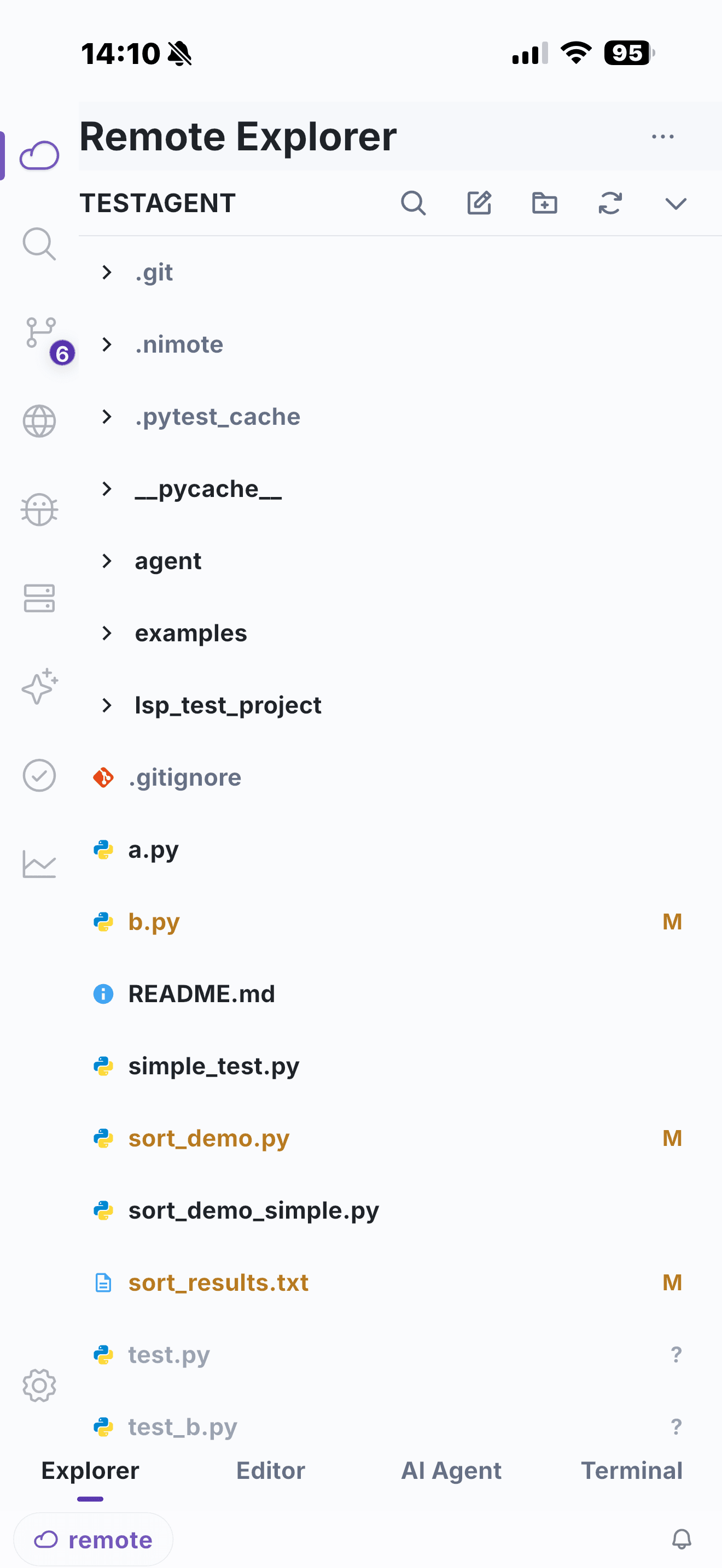
What to expect from a developer-focused SSH client
For a coding task, look for more than host profiles and a terminal:
- A remote Explorer so you can navigate the project rather than type every path.
- An editor that keeps files and changes in context.
- A terminal for real commands, logs, tests and deployment checks.
- Git tooling to review the result before it leaves your device.
- AI assistance that can work from the current file and workspace task.
These pieces let you follow a compact but responsible loop: connect, inspect, edit, verify and review. See the SSH IDE page for the full remote workflow and Terminal diagnostics for command execution and troubleshooting.
iPhone and iPad product availability
NimoteCode for iPhone and iPad is available now on the App Store. You can install it from the link below, subject to regional store availability.
If you use Android too, you can install the current Android release from Google Play.
Bring the full SSH editing workflow to your iPhone or iPad — available now on the App Store.