
NimoteCode Features
NimoteCode keeps the essential development loop in one mobile workspace: Explorer → Editor → Preview → Terminal → Git → AI. Start with a project on your device, an SSH host, or bundled Ubuntu through Android Local Linux. This page lists what every feature does and whether it is included in the free tier or requires Pro.
Android Local Linux is Android-only. On supported Android 8+ ARM64 and x86_64 devices, it provides a rootless Ubuntu workspace with Bash, Git, and SSH. iPhone and iPad use local and SSH workspaces instead.
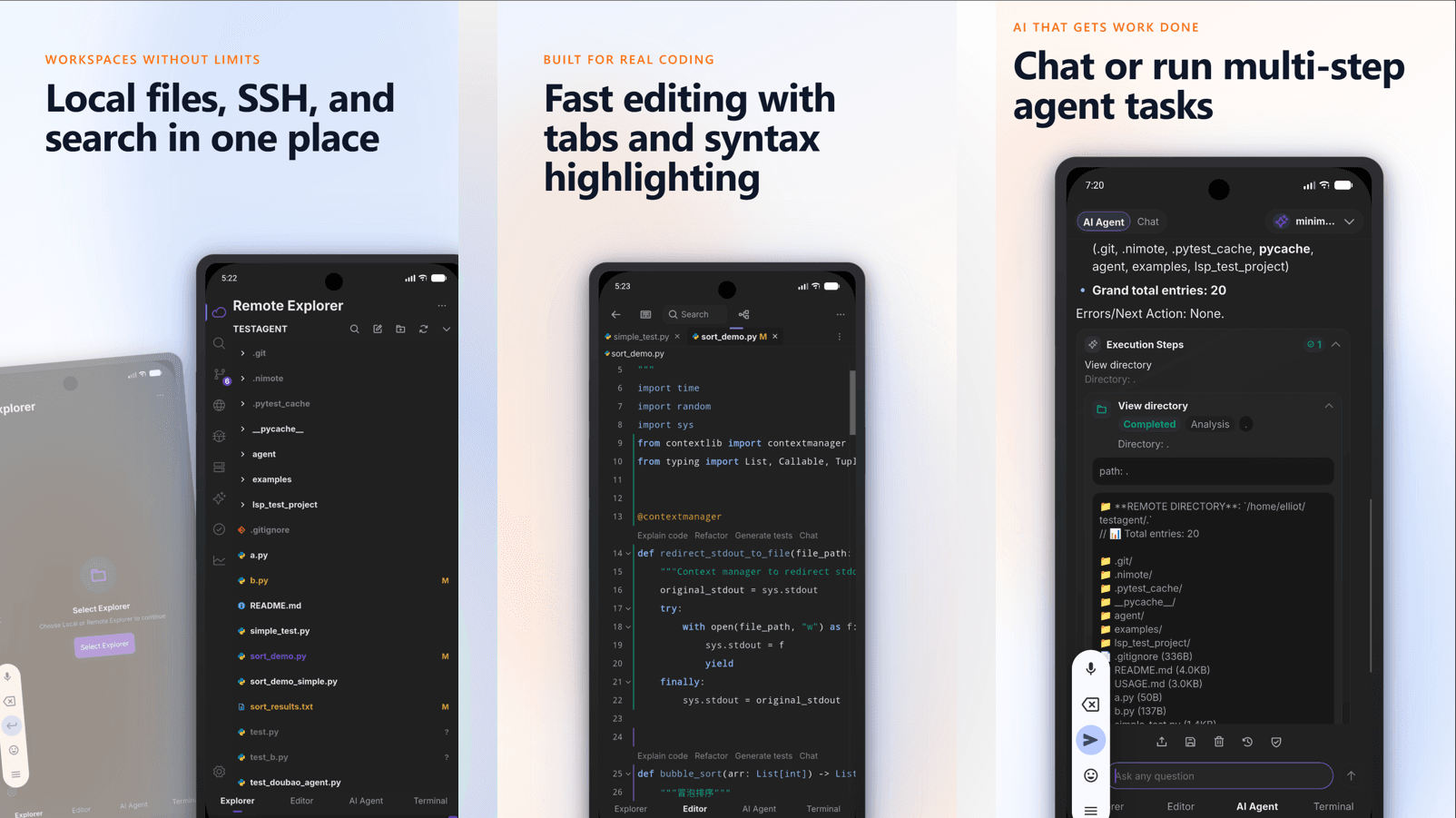
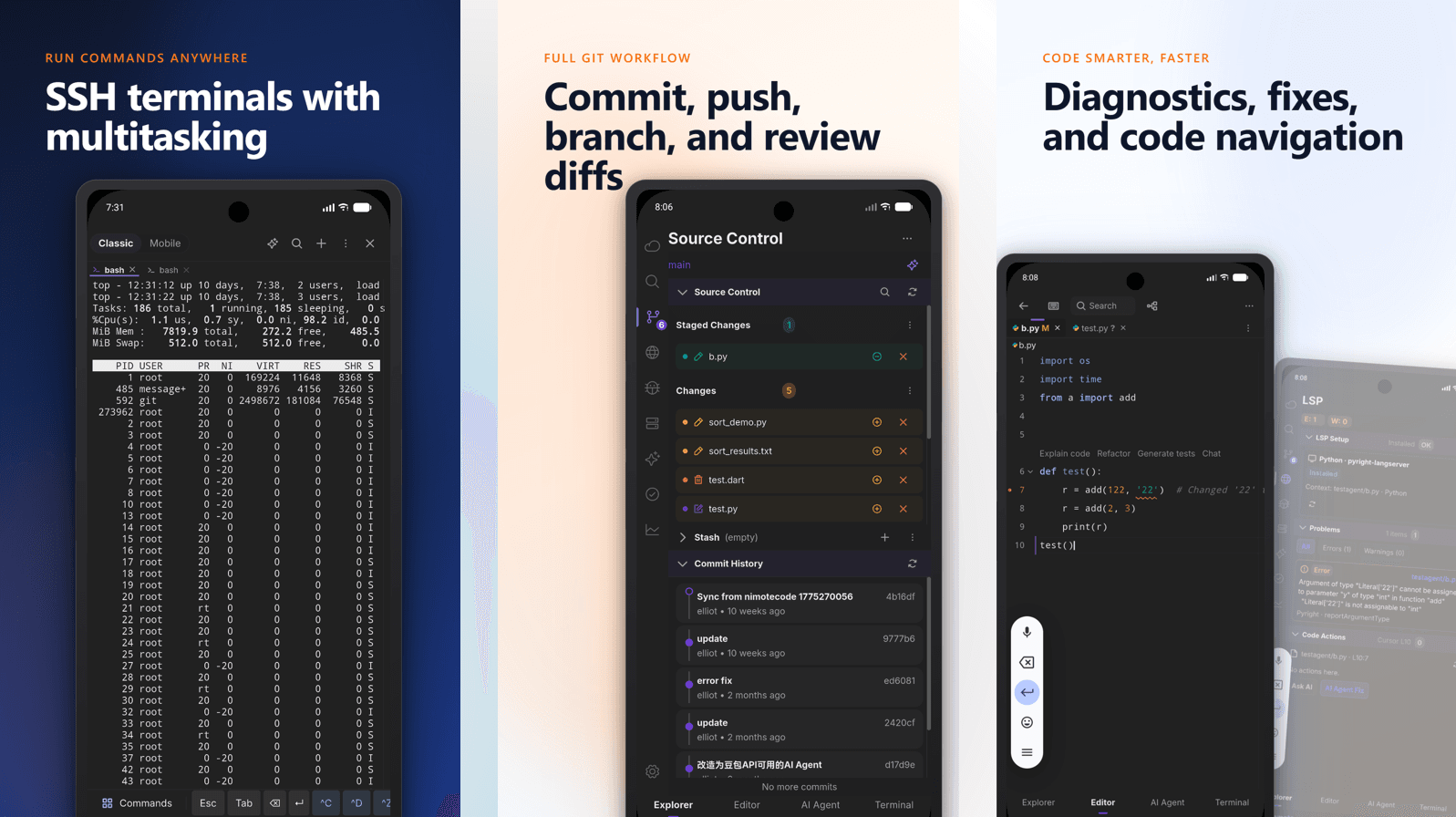
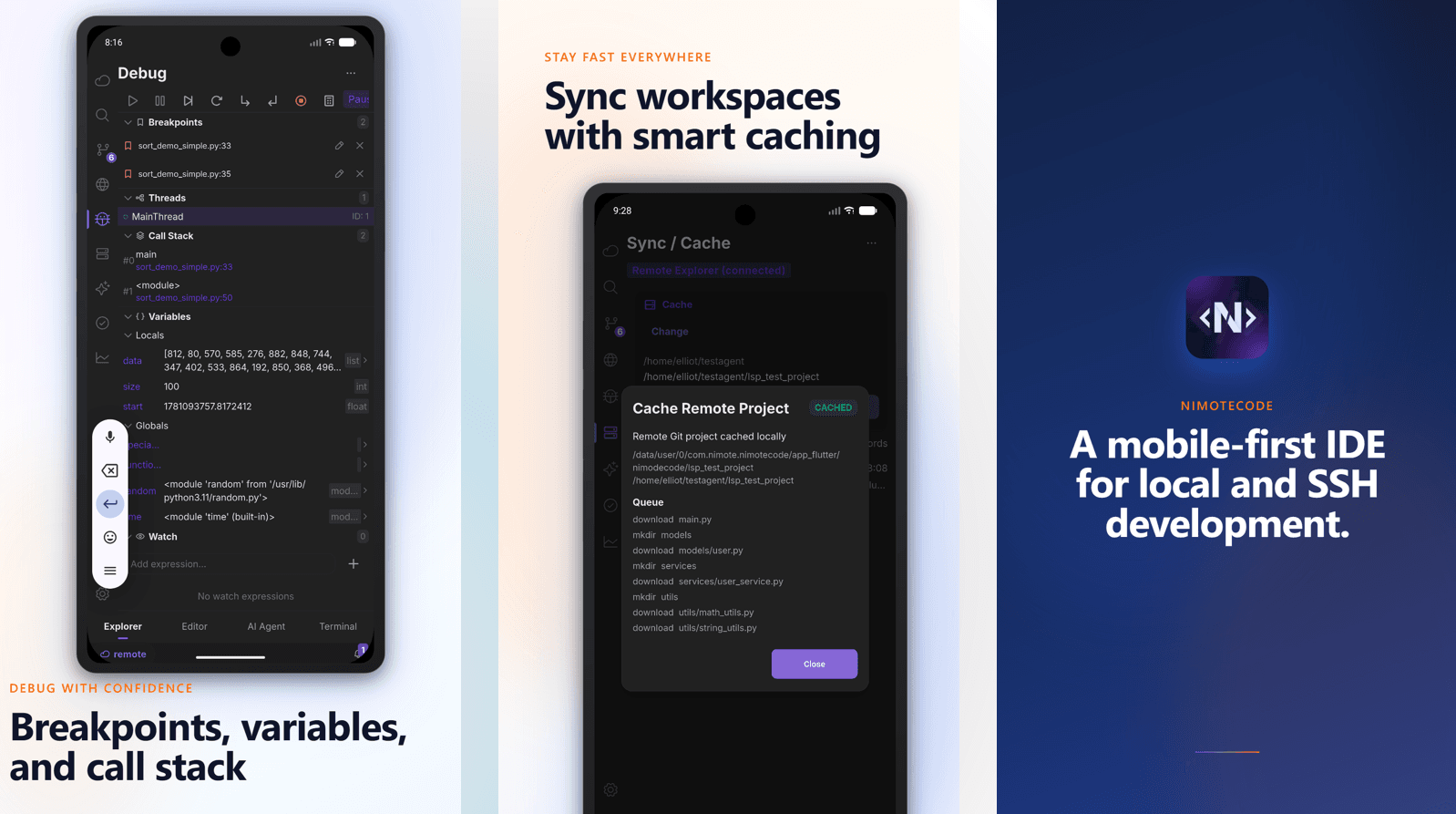
Everything you get for free
The free tier is a full workspace, not a preview. Everything below works without a Pro subscription unless marked Pro.
| Feature | What it gives you | Access |
|---|---|---|
| Local, Local Linux & SSH workspaces | Open local projects, saved SSH workspaces, or rootless bundled Ubuntu on supported Android devices. Switch the current directory when work moves, then return to recently used folders. Install, start, stop, reset, or delete Local Linux from the workspace flow. | Free |
| Code editor | Work in tabs or two independent split panes; save, use clipboard and undo/redo, follow cursor context, and inspect images or supported audio/video without leaving the app. | Free |
| Web & media preview | Open local or remote web projects in-app, preview the current HTML contents—including unsaved changes—with workspace CSS, JavaScript, and image assets, or open links from Terminal, AI replies, and tool output. | Free |
| Terminal & SSH environment | Run commands in the active workspace, search output, use shortcuts, and reconnect reliably. SSH workspaces load the account’s normal shell environment, so PATH, locale, SSH agent, and custom variables are available consistently to remote tools. | Free |
| Git review | Inspect repository status, diffs, branches, and history. In Android Local Linux, Git operates inside the Linux workspace so status and history match its files. | Free |
| AI Chat | Explain code, inspect error output, and plan or continue a task with current-file, workspace, recent-task, and Agent context. | Free |
| Tasks | Save repeated workspace commands, organize them in groups, and run them directly where the project lives. | Free |
Pro features
With version 1.1.8, Early Access Pro opens the workflows below as availability expands. Check Google Play or the App Store for the offer and price shown for your account and region.
| Feature | What it gives you | Access |
|---|---|---|
| AI Agent & external ACP agents | Run controlled multi-step workflows across files, Terminal, and Git tools. In an SSH workspace, choose a compatible ACP runtime—such as Claude Code or Codex CLI when configured—review permissions and progress in one timeline, and use / commands with touch or keyboard completion. | Early Access Pro |
| Git write | Commit, push and stash, plus branch/checkout/merge actions — with review before you act. | Early Access Pro |
| Remote search | Global content search across a remote workspace. | Early Access Pro |
| Multi-terminal | Keep parallel sessions for logs, tests, services and deployments. | Early Access Pro |
| LSP | Configured remote language-server diagnostics, code actions and navigation. | Early Access Pro |
| Debugger | Breakpoints and runtime inspection through a configured debug adapter. | Early Access Pro |
| Sync / Cache | Move project content between local and remote workspaces with explicit direction and history. | Early Access Pro |
Recently added to the workspace
- Flexible workspace directories. Local and SSH projects can switch to another directory and retain recent locations for quick return.
- Android Local Linux reliability. The Ubuntu environment now has clearer file-access boundaries and more dependable setup, Git, and Task file handling. These improvements apply only to Android.
- A more complete preview loop. Split editing, live HTML snapshots, built-in media preview, and shared link opening make it practical to inspect a result before leaving the workspace.
- Agent workflows that fit your environment. External ACP runtimes, slash-command completion, shared SSH login-environment handling, and safe environment diagnostics keep Terminal, Tasks, Debug, language servers, Git, and agents aligned.
A practical way to use the features
- Connect through SSH Workspace, open a local project, or use Android Local Linux on a supported device.
- Locate and edit the file in Editor.
- Verify it in Terminal; search output or remote content when needed.
- Ask AI Chat and Agent to explain an error or plan a change.
- Use Source Control to review the result; Pro is required when the delivery step needs a gated Git write action.
Features are deliberately permission- and environment-aware. For example, LSP and Debug depend on the language server or debug adapter being set up on the remote host, and AI output should be reviewed before use on sensitive systems.
Explore the SSH workflow
If you are evaluating how these features fit an SSH session, see the Android SSH client workflow, read the mobile IDE guide, or open the SSH IDE overview for the full remote development loop.