
SSH IDE for Remote Development
An SSH connection is useful for checking a server. An SSH IDE is useful when you need to understand and change the project behind that server.
NimoteCode turns a remote SSH connection into a development workspace. Instead of treating the remote host as a stream of shell text, you can browse its project tree, open files in an editor, run commands in terminal, review Git changes and bring AI assistance into the same task.
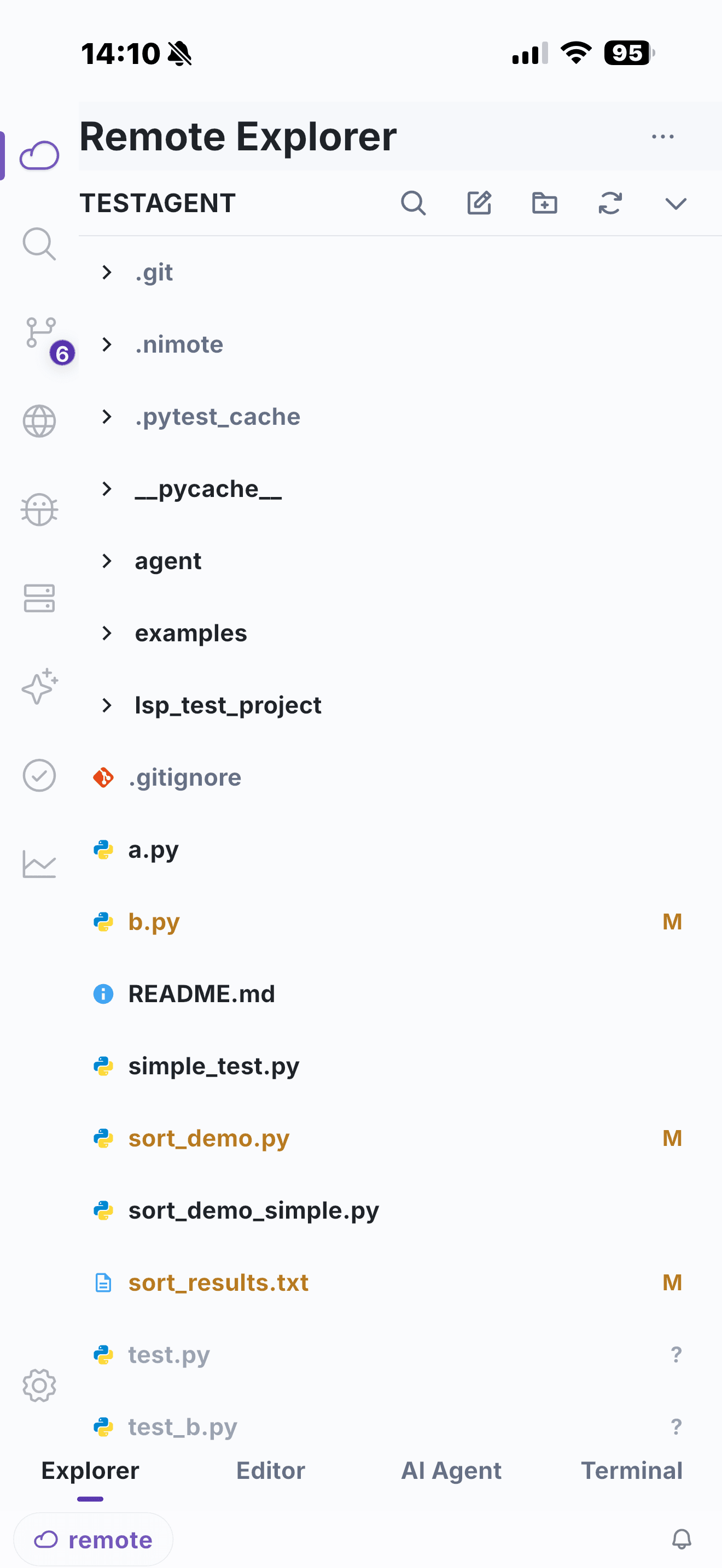
From SSH connection to working context
The practical order matters:
- Connect with a saved SSH profile and select the remote project root.
- Use Explorer to find the relevant files instead of memorising paths.
- Open code in tabs and make the smallest safe change.
- Run the relevant check, test, log query or build command in Terminal.
- Review the diff in Git before you commit or hand off.
That sequence is why NimoteCode is positioned as a mobile development workspace rather than a basic SSH client. The terminal remains central, but it is surrounded by the tools that let you act on what the terminal reveals.
SSH workflow features
Remote Explorer and editing
Use remote file browsing to locate a repository, configuration file or service module. Tabbed editing keeps nearby files available while you trace an issue, and project search helps with larger codebases.
Terminal with project context
The Terminal guide covers command sessions, output search and reconnect-aware workflows. The valuable difference is proximity: the active project, changed file and command output are part of one workspace.
Git and verification
For a real change, command success alone is not enough. Source Control gives you a place to inspect staged and unstaged changes, commit history, branches and diffs. Advanced Git write workflows are available with Pro.
AI assistance with controls
Use AI Chat and Agent to explain code, plan an edit or help move through a multi-step task. For remote environments, review commands and changes before they run—especially in production-adjacent workspaces.
When an SSH IDE is the better fit
Choose this approach when you expect to move from observation to action: a production hotfix, on-call diagnostics, a small remote feature update, or a review while away from your desktop. If you only need a command prompt, a simple SSH client may be enough. If you need to change code responsibly, the editor, Git view and AI context make the difference.
Limitations of SSH IDE work on mobile
An SSH IDE depends on a stable connection to the remote host. On a weak network you will feel latency in editor keystrokes and terminal output, and the connection should be reconnect-aware. Very large repositories can be slower to browse until search indexes are ready. Finally, the remote host does the heavy work — a phone cannot compensate for an underpowered server — and long, heavy compile loops are still more comfortable on a desktop screen.
Frequently asked questions
What is an SSH IDE?
An SSH IDE adds project browsing, code editing, terminal commands and Git review around an SSH connection, so you can work on a remote codebase instead of only running shell commands.
Can I review Git changes after editing over SSH?
Yes. NimoteCode keeps Source Control next to the remote workspace so you can inspect diffs and use supported Git workflows before shipping a change.
When is an SSH IDE better than a terminal-only client?
Choose an SSH IDE when the task includes locating files, editing code, running verification commands and reviewing a diff. A terminal-only client may be enough for command-only work.
Turn SSH access into a development workflow.