
A Better SSH Client for Android Developers
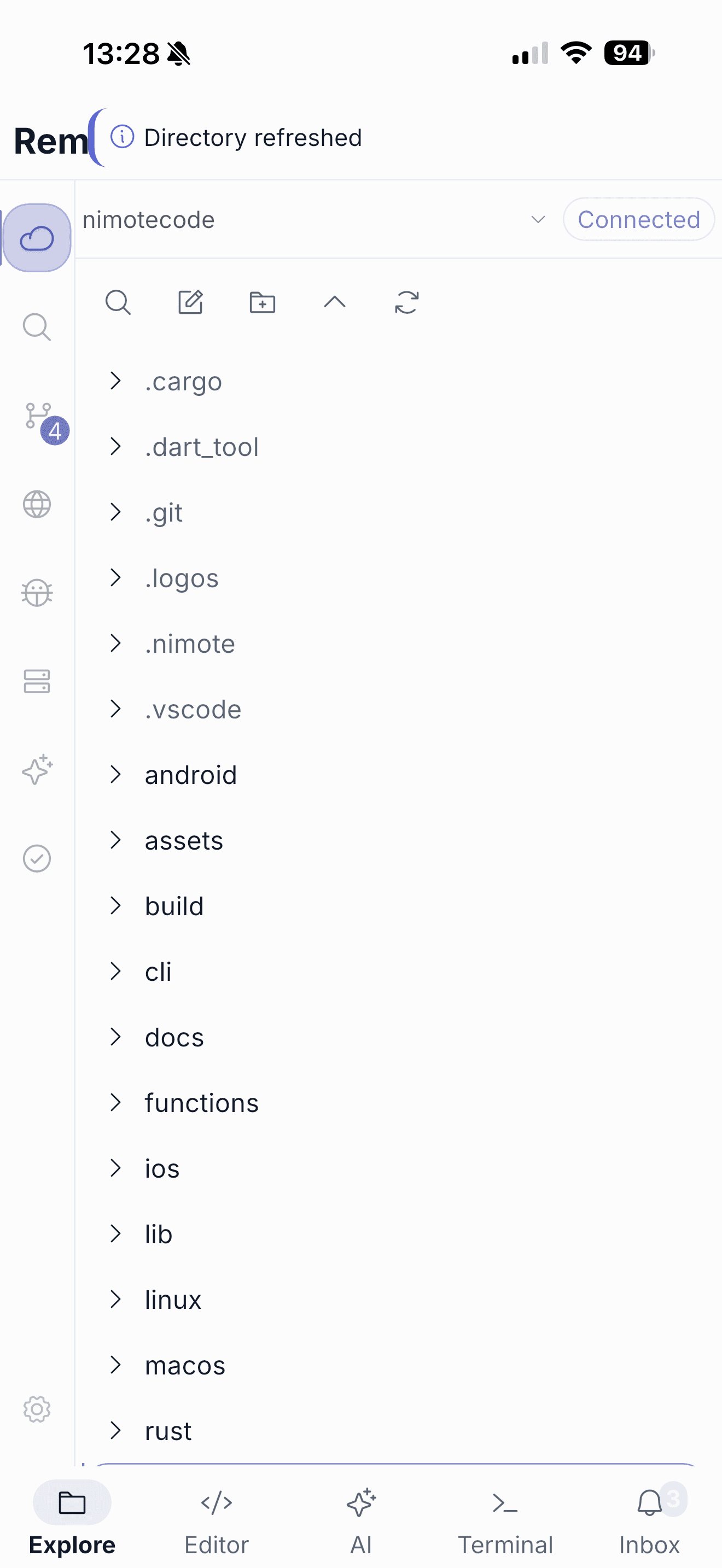
When you search for the best SSH client for Android, the answer depends on what happens after the connection opens. If you only need to restart a service or read a log, a terminal-only client is enough. But when the answer to a problem is a code change, a shell by itself creates friction: find the file, edit it elsewhere, switch back to validate it, then reconstruct the Git diff. NimoteCode is an Android SSH client built for that full developer workflow — remote Explorer, code editor, SSH terminal, Git and AI assistance in one mobile workspace.
What is an Android SSH client?
An Android SSH client is an app that opens a secure shell connection from an Android phone or tablet to a remote host — a Linux server, a Mac, or a development machine. The client handles authentication, host profiles, key management and the terminal session so you can run commands on the remote system from your device.
Most Android SSH clients stop there. They are connection and terminal tools, and for command-only work that is the right scope.
What a terminal-only SSH client can do
A terminal-first client is genuinely useful, and it is the correct choice for many people:
- Connect to one or more hosts with saved profiles.
- Authenticate with passwords or SSH keys.
- Run commands, read logs and manage services.
- Transfer files with tools such as
scporsftpfrom the command line.
If your Android device is a way to reach a server, a lightweight client keeps things simple. For the broader mobile-development context, see the mobile IDE guide.
What a developer-oriented SSH client adds
A developer-oriented SSH client assumes the session will produce a code change, not just output. That changes the requirements:
- Project context — open the repository root, not just a shell, and browse the file tree.
- Editing — open and change files without copying code into another app.
- Verification — run a test or diagnostic command and read the result next to the code.
- Review — inspect exactly what changed before committing.
- Assistance — get help understanding unfamiliar code while keeping control of commands and edits.
That is the difference between remote access and a mobile IDE. NimoteCode is designed around the second case.
How NimoteCode works as an Android SSH client
NimoteCode connects to your remote host over SSH and then keeps the surrounding development tools in the same project context.
SSH workspace
Save an SSH profile for your development host, connect, and select the project root. The project stays on the remote machine; your phone or tablet reads and edits it over the connection, so you never sync a copy to the device. Reconnect-aware handling keeps sessions steadier as mobile networks change.
Files, SFTP-style browsing and the Explorer
A remote Explorer lets you navigate the project instead of typing every path. You can locate a configuration file or service module, keep nearby files in tabs, and use SFTP-oriented file workflows to inspect and manage remote files from the same app.
Terminal
The integrated terminal runs the commands you already use — tests, builds, logs, package managers and service restarts. Output stays next to the file you are editing, so you can move from a stack trace to the source line without switching apps. See the Terminal guide.
Code editor
Files open in a real editor with tabs, split panes on larger screens, project search and mobile-keyboard-friendly input. This is what lets an Android SSH session become an editing session rather than a stream of cat commands.
Git
Source Control shows repository status, diffs, history and branches so you can review the exact change before it ships. All users can inspect changes; gated write workflows such as commits and pushes are available with Pro.
AI coding tools
AI Chat and Agent can explain an error, plan a patch or assist a controlled multi-step task using the active workspace context. Because it sits beside the editor, terminal and Git view, suggestions can be inspected and verified in the real project rather than pasted into a separate chat.
Android SSH client or mobile IDE?
Use a lightweight client if your work begins and ends at a command prompt. Choose NimoteCode when your SSH session is part of a wider coding task: editing a project, using Git, checking a test result, or collaborating with an AI coding assistant. If you want the broader picture first, start with the mobile IDE guide or the SSH IDE overview.
Frequently asked questions
Is NimoteCode a good SSH client for Android?
NimoteCode is an Android SSH client for developers who need more than a shell. It opens an SSH connection and then keeps the remote Explorer, code editor, terminal, Git review and AI assistance in the same workspace, so an Android device can support a real development loop.
What can you do with an Android SSH client?
A basic Android SSH client lets you connect to a remote host and run terminal commands. A developer-oriented client such as NimoteCode also lets you browse remote files, edit code, run tests, review Git changes and use AI assistance without leaving the app.
Does NimoteCode support SFTP or file transfer?
NimoteCode provides a remote Explorer with SFTP-oriented file workflows, so you can browse and manage files on the connected host. The project stays on the remote machine and is read and edited over the connection.
Can I edit code over SSH on Android?
Yes. NimoteCode opens remote files in its editor over the SSH connection, with tabs, project search and split panes on larger screens, so you can edit on the device without copying the project locally.
Is the Android SSH client free?
NimoteCode has a free tier that includes local and SSH workspaces, the editor, baseline terminal, Git status and diff review, AI Chat with your own provider, and terminal-backed Tasks. AI Agent, remote search, multiple terminal sessions, Git write workflows, LSP and debugging are Pro workflows.
Does NimoteCode work with Git over SSH?
Yes. Source Control gives you repository status, diffs, history and branches next to the remote workspace. Review is available to all users; write workflows such as commits and pushes require Pro.
Is there an iOS version?
NimoteCode is available for Android on Google Play and for iPhone and iPad on the App Store.
Install NimoteCode for Android and keep your SSH, code and Git context together.
Related pages
- The Best Mobile IDEs in 2026 — how workspace and terminal-first approaches fit different tasks
- SSH IDE for remote development
- Mobile AI coding
- Features and availability
- Download and first steps