
The Best Mobile IDEs in 2026: What to Look For (and How NimoteCode Fits)
Coding from a phone stopped being a novelty a long time ago. The real question in 2026 is no longer can you write code on mobile — it is whether the tool you use behaves like a development workspace or like a single feature pretending to be one.
Most "mobile coding" apps fall into a few familiar categories. Each one solves a real problem, and each one stops short of being a complete workspace. This guide walks through the current landscape, the criteria that actually matter, and where NimoteCode sits in it.
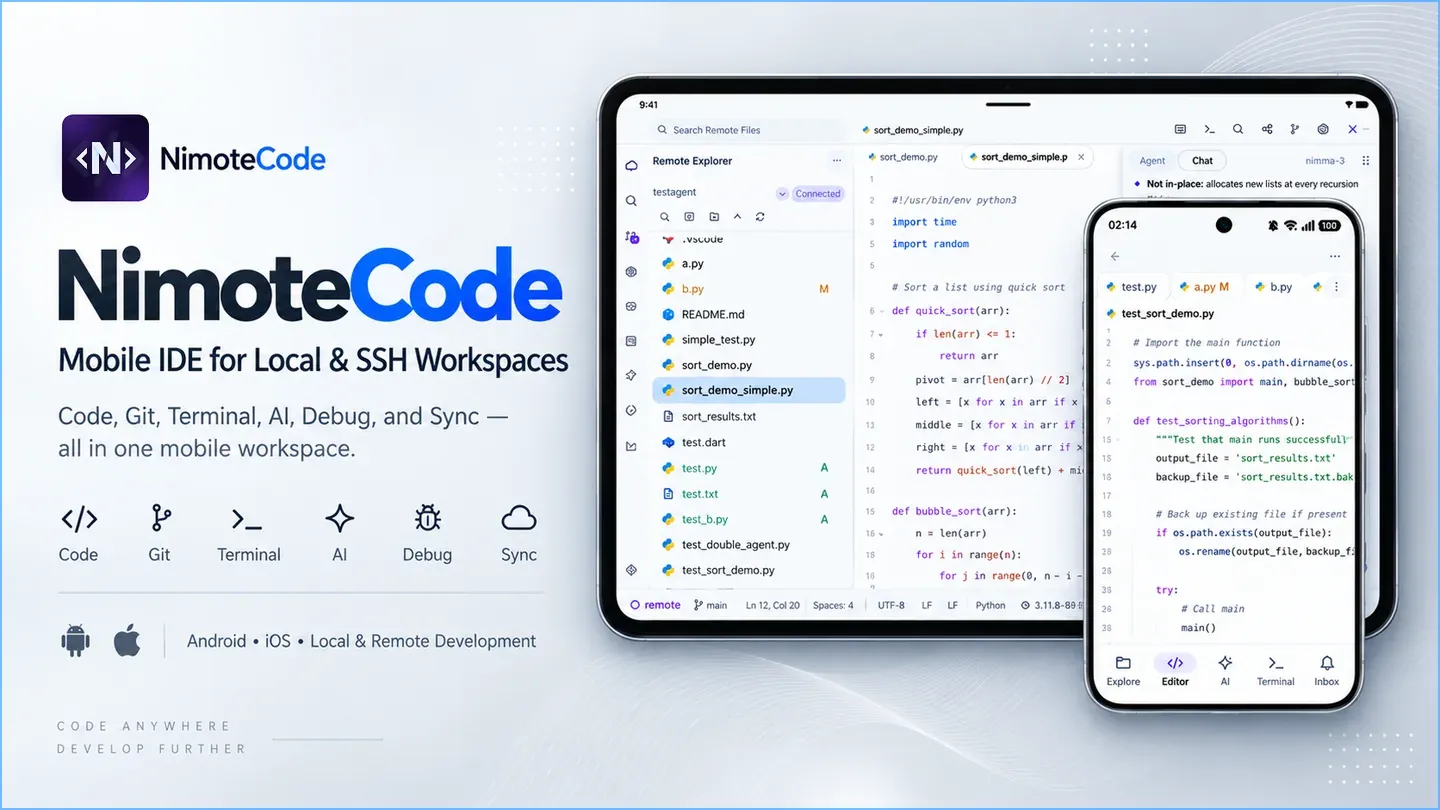
What counts as a mobile IDE?
A development workspace is more than a text surface. When you work on a real project — even a small one — the work loops through the same steps whether the device is a laptop or a phone: browse the project, open and edit files, run commands, check what changed, and get the change reviewed before it ships.
A mobile IDE worth the name should therefore keep these in one place:
- Project context — a file tree, not a single open file
- Editing — keyboard-friendly code editing, with layout that works on a phone and gets better on a tablet
- Execution — a terminal that runs where the project lives
- Version control — inspect diffs and history before pushing
- AI assistance that can actually act — chat alone is not a workflow; the AI needs file and terminal context, with changes you can review
If a tool covers only one of these, it is a component. If it covers several in the same project context, it is a workspace.
The mobile coding landscape in 2026
1. Terminal-first SSH clients
Apps like Termius and Blink Shell are excellent at what they do: secure, fast remote connections with a first-class terminal. If your task is running commands on a server, they are the right tool.
The gap is project work. A terminal-first workflow does not inherently provide an integrated project tree, visual diff review and editor semantics in the same workspace. Depending on the tools and commands you choose, inspecting a file, editing it, re-running a test and reviewing the change can therefore mean assembling the workflow yourself.
2. Cloud and self-hosted IDEs
Code-server and cloud developer environments bring a desktop IDE into the browser, then you stream that browser from a phone. The editing experience is complete because the heavy lifting happens on a server you must provision, secure and pay for — and the phone becomes a thin remote screen for a desktop UI.
That is a legitimate architecture for teams that already run remote environments. As a personal workflow, it adds infrastructure, latency and network dependency between you and the code you are trying to change.
3. Editor-only mobile code editors
Several mobile apps provide genuinely good code editing on local files, including syntax highlighting, undo history and sometimes language tooling. Their terminal, Git review and execution integration varies by product, so assess whether those pieces are available together for the workflow you need.
4. AI-chat-only apps
AI assistants are everywhere now, and some mobile apps are primarily chat surfaces. When an AI workflow is not connected to file, terminal and task context, it may be less able to participate in verification — and verification is where a lot of real work happens.
5. Full mobile workspaces
A workspace app connects you to real code — local files or a remote project over SSH — and keeps the editor, terminal, Git and AI in that same project context. That is the category NimoteCode is built for.
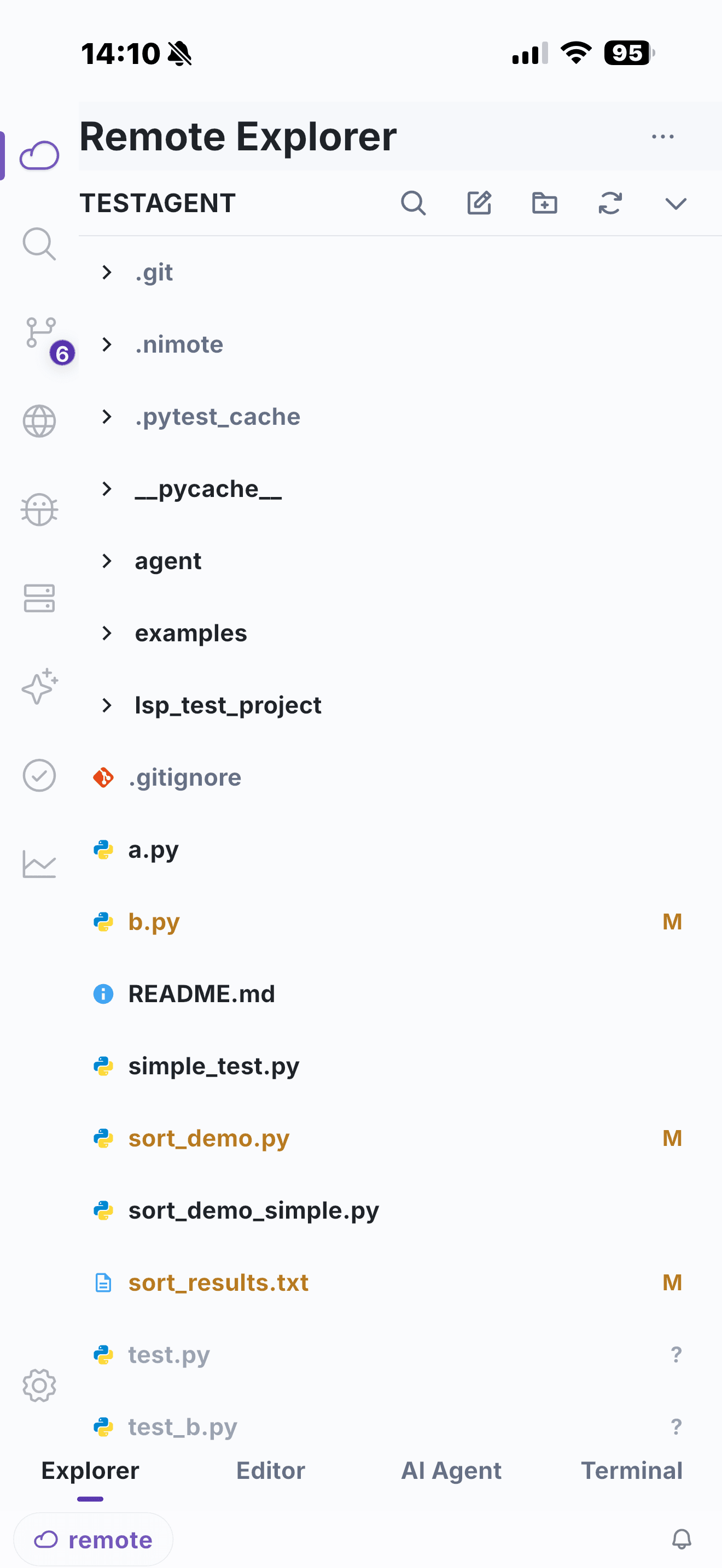
What to look for when you evaluate a mobile IDE
These are the criteria we used while building NimoteCode, and they are a fair checklist for any tool in this space.
Connection model. Can you work on a local project, run a bundled Linux environment on Android, and reach a remote Mac or Linux machine over your own secure networking (Tailscale, WireGuard, a LAN) without a public IP or port forwarding? Remote access should not require trusting a third-party relay with your credentials.
Editing that respects the screen. Two panes for side-by-side files, a layout tuned for a keyboard case or a tablet, and files that stay open where you left them. Split editing matters more on mobile than on desktop, because switching contexts costs more.
A terminal where the project lives. Running tests and builds in the same workspace that shows the files — instead of bouncing between an SSH app and an editor — is what turns "writing code on a phone" into "developing from a phone".
Git that is reviewable. You should be able to inspect diffs, branch state and history, and decide what is committed. Reviewability does not disappear just because the device is small.
AI with guardrails. The useful AI workflows are the ones that propose concrete changes in your files, show the diff, and ask for approval before acting — not a black box that writes into your project silently. Check how a tool handles approvals and whether you can see exactly what the agent is about to do.
What runs where. A tool that executes locally on your device or on hardware you control keeps your code, credentials and data inside your own trust boundary. That is a meaningful difference from streaming every keystroke through a hosted environment.
Where NimoteCode fits
NimoteCode is a mobile AI development workspace for Android and iOS that keeps local and remote projects in one workspace model. Supported Android devices also add a bundled Ubuntu environment for development directly on the device:
- Local and SSH workspaces — open a folder on your device, or connect to a Mac or Linux project over SSH with your own secure networking
- Android Local Linux — on supported Android 8+ ARM64 or x86_64 devices, install bundled Ubuntu with Bash, Git, and SSH without root access; it is Android-only and separate from an SSH host you manage
- Code editor on mobile — keyboard-friendly editing with split panes for two files side by side, built for phones and refined for tablets
- Integrated terminal — run tests, builds and CLI workflows in the same workspace as the code
- Git review — inspect diffs, branch status and history before anything is pushed
- AI Chat and Agent — aligned with desktop agent workflows: the AI operates with file, terminal and task context, and changes go through review and approval instead of silent writes
- Web and media preview — open a local or remote web project and jump from a Terminal URL straight into preview, without leaving the app
- Task workflows — track plan, implement and verify as explicit steps with clear handoff
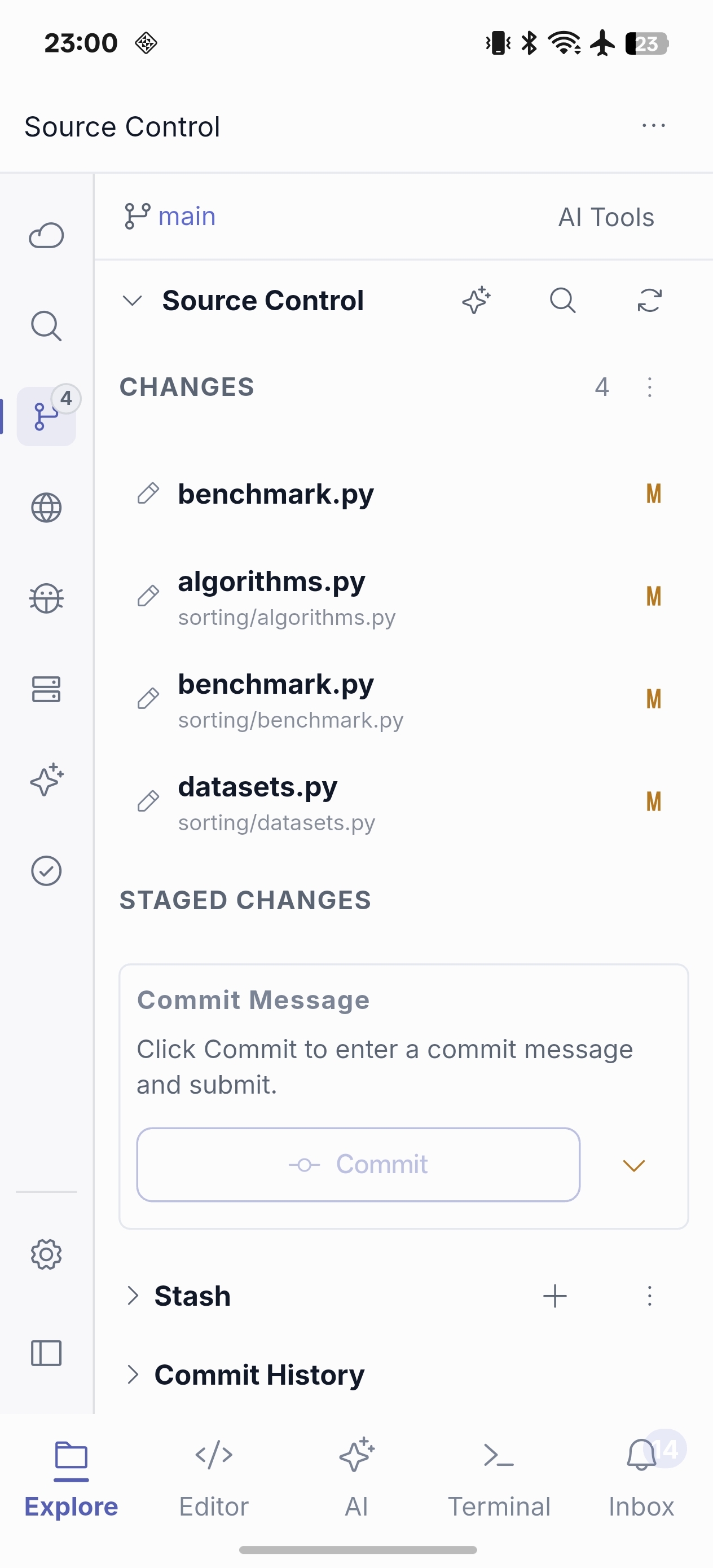
The design goal is boring in the best way: the workspace should feel like a normal development environment that happens to fit in your hand — not like a remote desktop, and not like a chat app with a code editor bolted on.
Quick comparison
| Category | Project context | Terminal | Git review | AI that can act on files | Where it runs |
|---|---|---|---|---|---|
| Terminal SSH clients (e.g. Termius, Blink) | Terminal and session centered | Yes | Available through terminal workflows | Product-specific | On your device, to a server you own |
| Cloud / self-hosted IDEs (e.g. code-server, Codespaces) | Yes, in the hosted environment | Yes | Yes | Via desktop tooling | On infrastructure you provision and pay for |
| Editor-only mobile editors | Partial — often file centered | Varies by app | Limited or app-specific | Limited or app-specific | On your device |
| AI chat apps | Chat centered | App-specific | App-specific | Chat centered | Varies |
| NimoteCode | Yes — local, Android Local Linux, and SSH | Yes, in the same workspace | Yes — review before push | Yes — with approvals | On your device and the machines you control |
Verify the workflow, not a checklist
Last verified: 2026-09-14. Termius documents SSH, SFTP, Mosh, terminal sessions and workspace restoration; Blink documents its terminal-first environment and Blink Code / remote VS Code workflows; ConnectBot documents an Android secure-shell client with file transfer; and Termux documents an Android terminal and Linux environment. These products can be a strong fit for their documented workflows. Their feature sets and platform availability change, so test the exact workflow you need rather than treating a third-party comparison table as a final capability claim.
For product-specific detail, use the vendors’ own documentation: Termius, Blink Shell and Blink Code, ConnectBot, and Termux. NimoteCode’s comparison page keeps its source list and per-product verification dates in one place.
Realistic scenarios
A quick fix on a real server. You are away from the desk and a production issue needs a one-line change plus a verified restart. With an SSH workspace you open the project, edit the file, run the check in the integrated terminal and review the diff — the whole loop, not a chat conversation about it.
An AI agent with the training wheels on. Delegate a bounded task — refactor this function, add tests for this module — and let the agent plan, edit and verify while every change waits for your approval. The workflow stays inspectable because the agent works inside the same files, terminal and Git view you use yourself.
A Linux workspace without another machine. On a supported Android device, install Local Linux and open its bundled Ubuntu environment. You can work in /workspace with Bash, Git, and SSH through the same Explorer, editor, terminal, and Git review flow; install any project-specific toolchain only when you need it. This is useful when a remote host is not available, while larger builds and long-running services can still belong on a machine you control over SSH.
Tablet development. On a tablet the same workspace stops being a compromise: split panes, terminal and Git side by side, and an AI panel that does not cover the code. The large-screen layout is where the "phone IDE" idea starts to feel like a normal desk.
Bottom line
There is no single "best" mobile IDE for everyone, because the categories solve different problems. If you only need a remote terminal, an SSH client is the right answer. If your team already runs cloud developer environments, use them. But if you want the full loop — browse, edit, run, review, ship — from a device in your pocket, evaluate tools that behave like a workspace rather than a feature.
That is the gap NimoteCode was built for. It is available now on Android (Google Play) and iPhone and iPad (App Store). The workspace is free to download — try a real remote workflow from your phone and see whether it changes what you consider "mobile development".
Related content
- Mobile IDE overview — the workspace NimoteCode is built around
- Android IDE for SSH, Git and AI Coding — a real mobile IDE beyond a terminal
- Android Local Linux — bundled Ubuntu on supported Android devices
- Compare mobile IDEs and AI coding tools — a neutral feature comparison across the category
- How to Use Android as a Remote IDE with Tailscale — secure SSH access without port forwarding
Try a real remote workflow from your phone.