
SSH + Mobile Coding Is Still Broken, So I Built My Own IDE
I've tried a lot of mobile coding tools—SSH apps, code editors, cloud IDEs. Most of them feel useful but incomplete. They either only edit code, only provide a terminal, or feel like a desktop tool squeezed into a phone.
But real dev work isn't just "writing code". It's SSH + files + terminal + git, all together.
So I started building a mobile-first IDE called NimoteCode. The idea is simple:
A workspace should include everything—not separate apps.
- Local and SSH workspaces
- Integrated terminal
- Code and project structure in one place
- Mobile-first UX, not a desktop copy
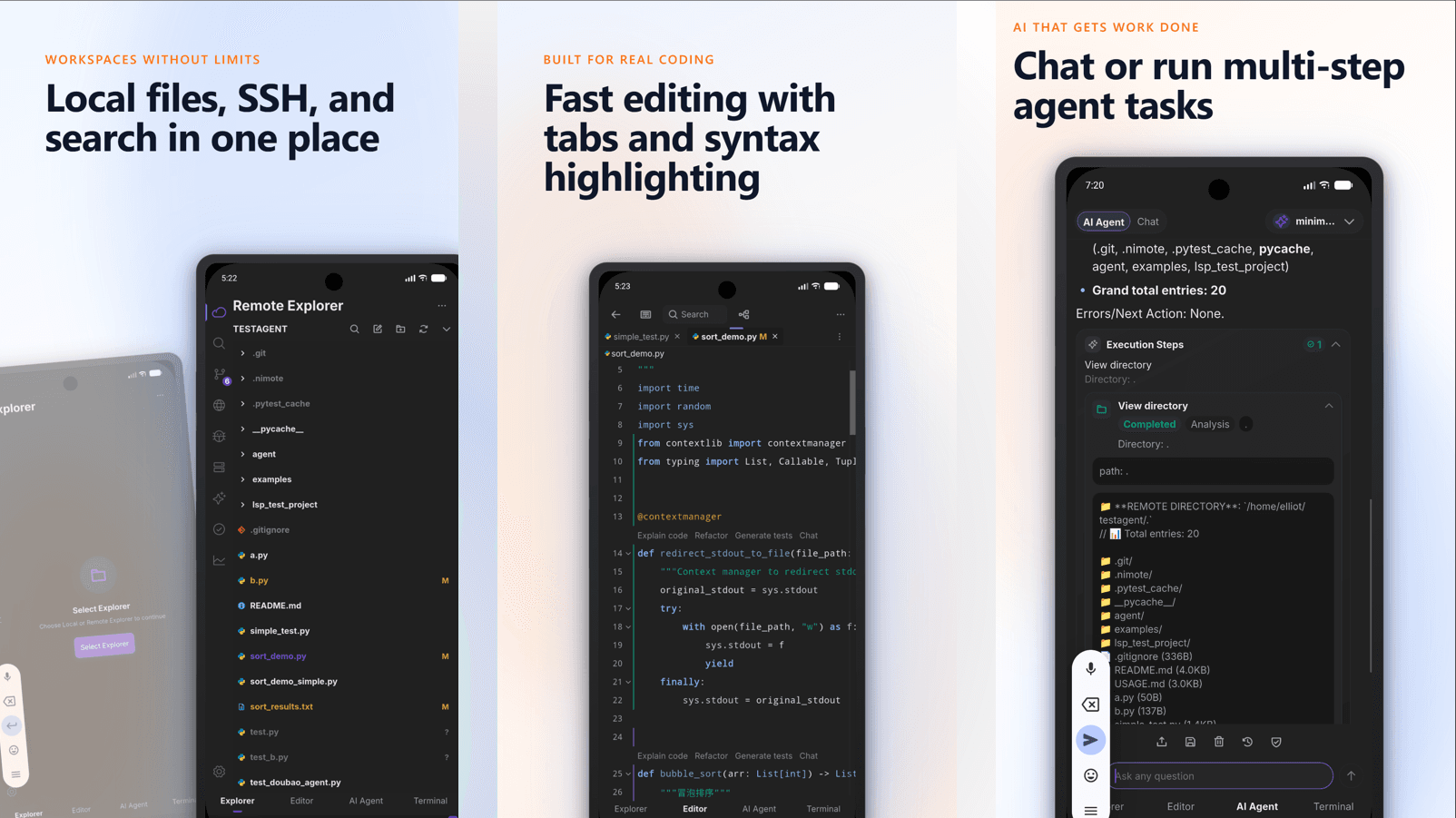
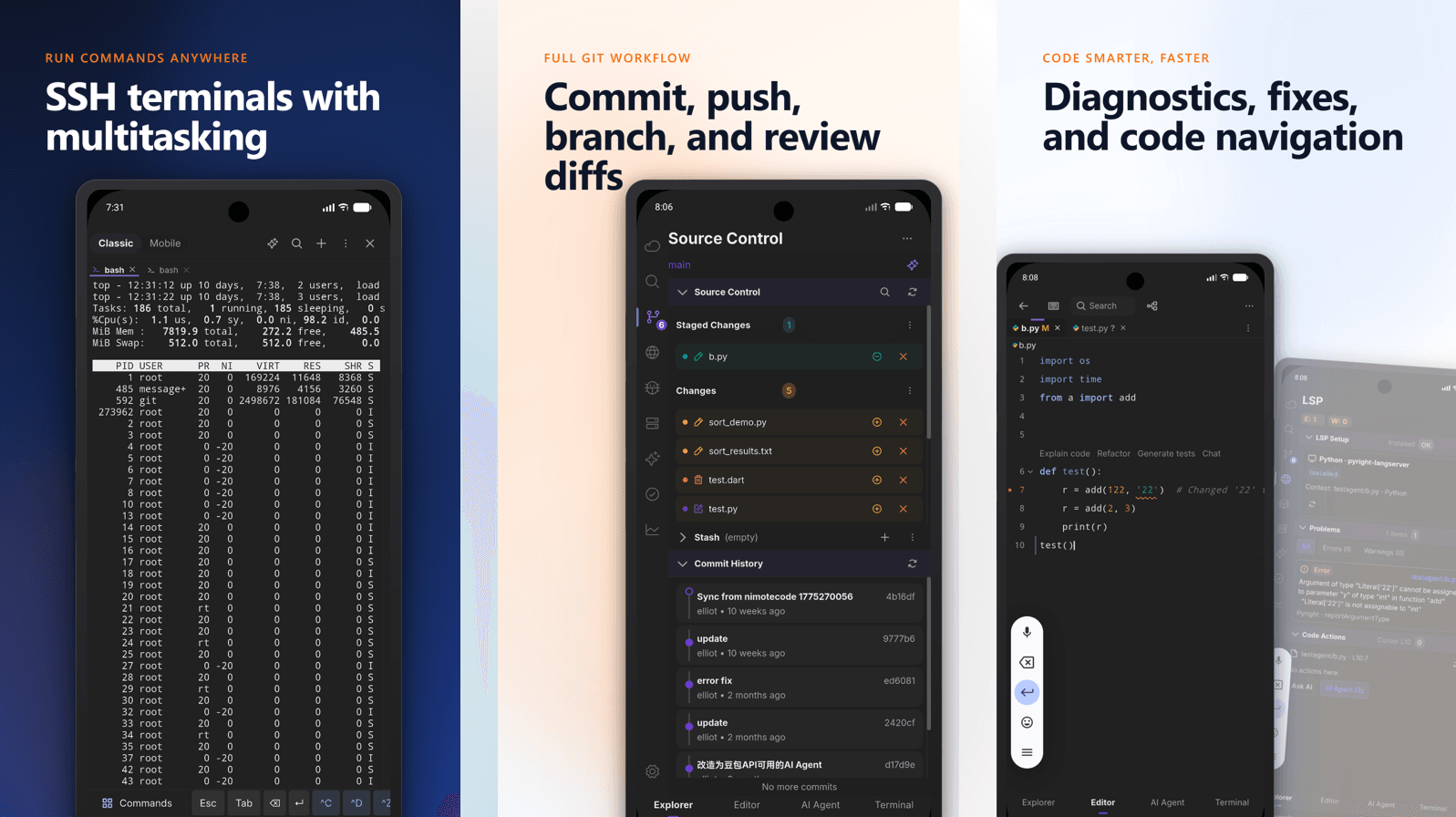
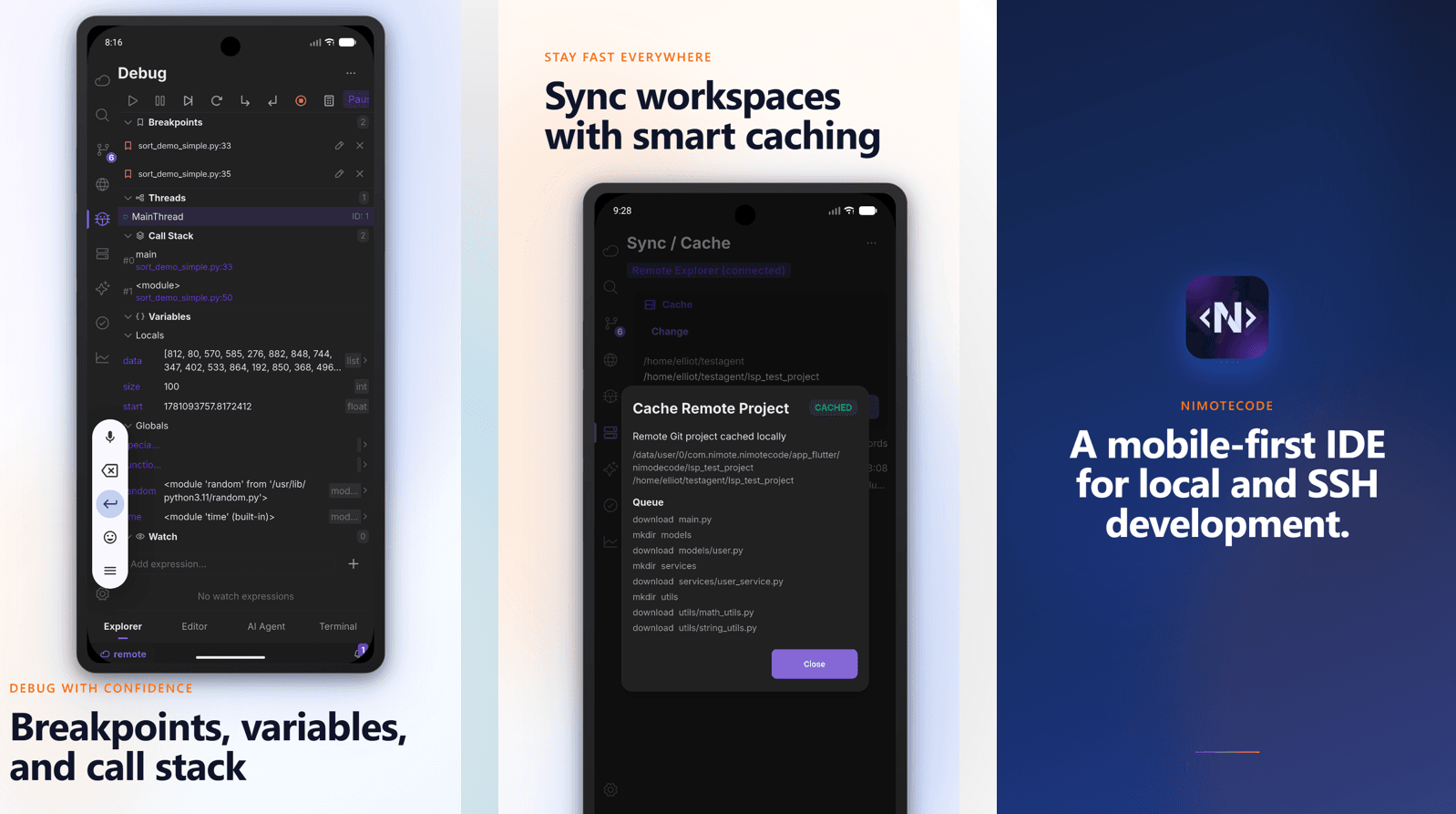
Where the design landed
Instead of replicating a desktop tool, the workspace keeps the essential loop together: connect over SSH Workspace, inspect the project in the Explorer, edit a file in the Editor, run and verify commands in the Terminal, and review the result in Source Control.
It's not a terminal-only client and it's not a separate editor—it's a workspace built for the focused, reviewable work developers actually do away from a desk. See the full model in SSH IDE and SSH remote development workflow.
Try it
NimoteCode is available now on Google Play for Android, with the App Store version coming soon. Get it from the Download page.
What do you think—is mobile development actually usable today, or still fundamentally fragmented?
This post is also part of the story behind the build: read Why Existing Flutter Code Editors Broke Down and Why I Decided to Build a Mobile IDE Instead of Another AI App.
Related content
- SSH IDE for remote development — project browsing, editing and Git review over SSH
- Remote coding from a phone or tablet — the remote-first workflow in practice
- Why Existing Flutter Code Editors Broke Down — the editor rebuild behind it
About the author · Building NimoteCode, a mobile-first IDE built with Flutter and Rust. Follow the project on DEV.to · GitHub · X.