GitHub from Android and iPhone: from repository to pull request
GitHub work on a phone used to mean checking a notification, leaving the app, then finding another tool to clone, edit, test, and push. That handoff is where small fixes tend to stall.
Starting with NimoteCode 2.2.0, native GitHub workflows are available on Android, iPhone, and iPad. You can sign in, find a repository, open it in a local or SSH workspace, follow the work around it, and return to the same workspace to make a reviewed change.
The aim is not to turn a phone into a smaller desktop. It is to preserve the parts of a delivery loop that matter: the repository context, a real execution environment, a readable diff, and a deliberate handoff.
Start with the repository, not a URL
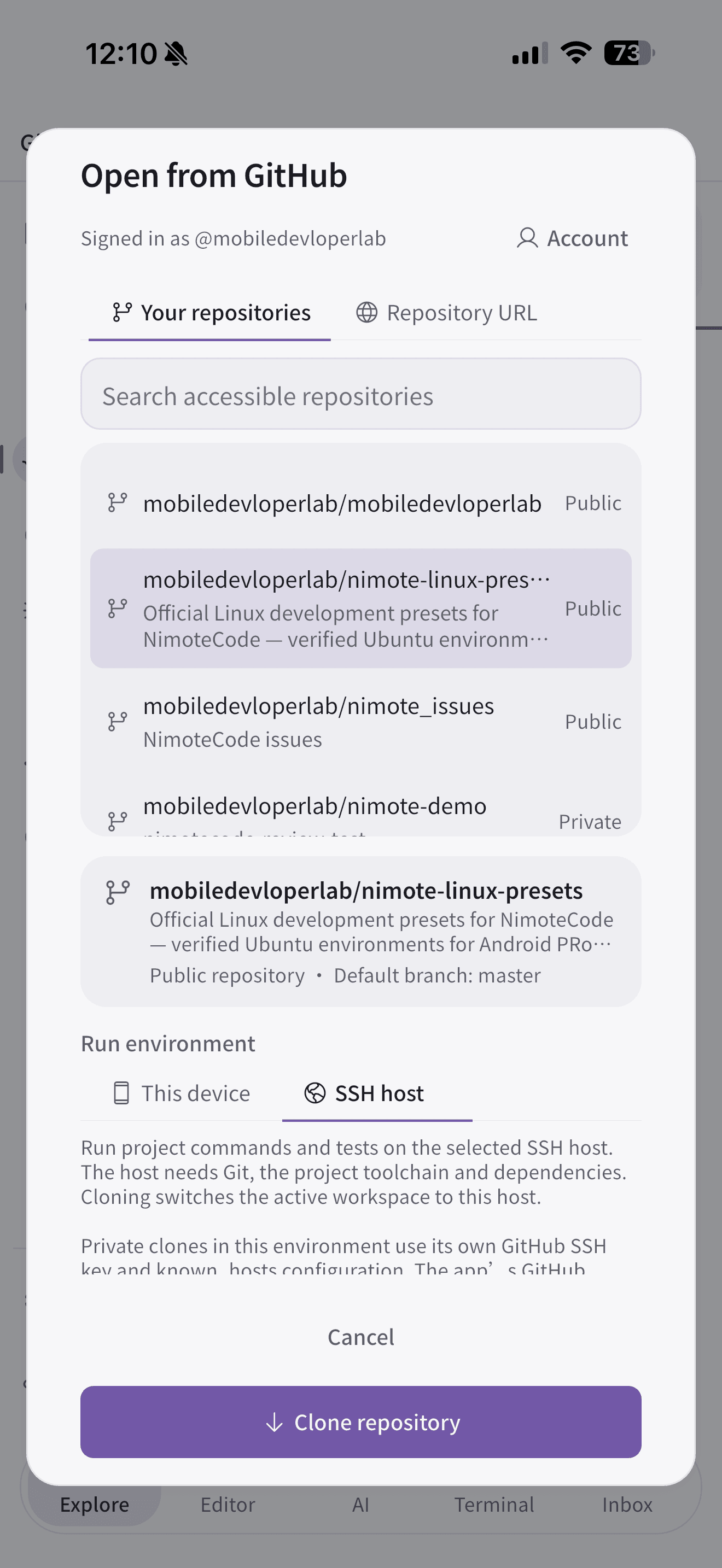
Open the GitHub page and sign in with browser device authorization or a personal access token. NimoteCode then lists the repositories your account can access, so you can select the project rather than manually copy a clone URL.
At clone time, choose where the code should run:
- This device is useful for files and workflows that are practical on the phone.
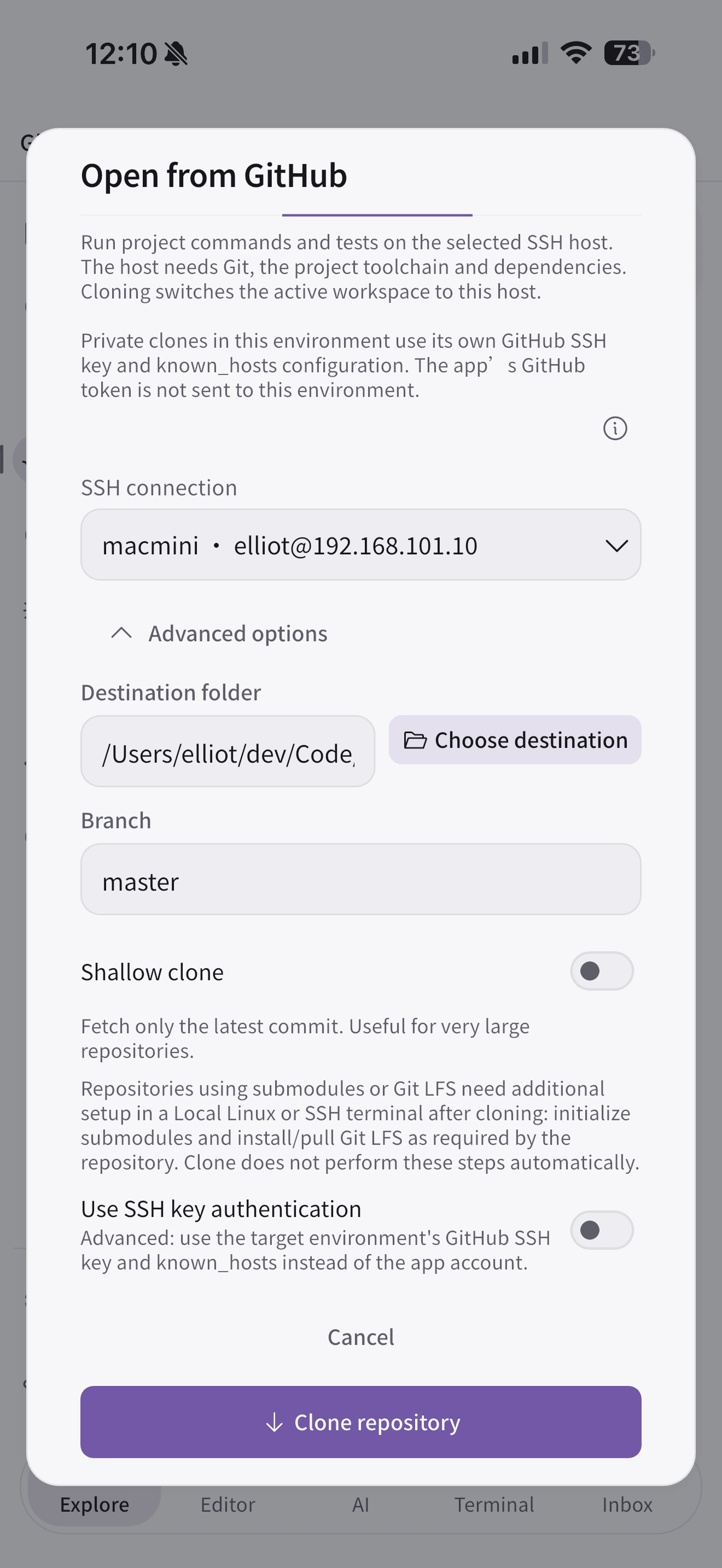
- SSH host keeps the repository, dependencies, and project commands on your existing Mac, Linux machine, or server.
For most established projects, SSH is the calmer choice: the phone is the interface while the host remains the development environment. On a private repository, set up the GitHub SSH key and known_hosts entry on that host. The app does not forward an app-held GitHub token to it.
Let the issue describe the job
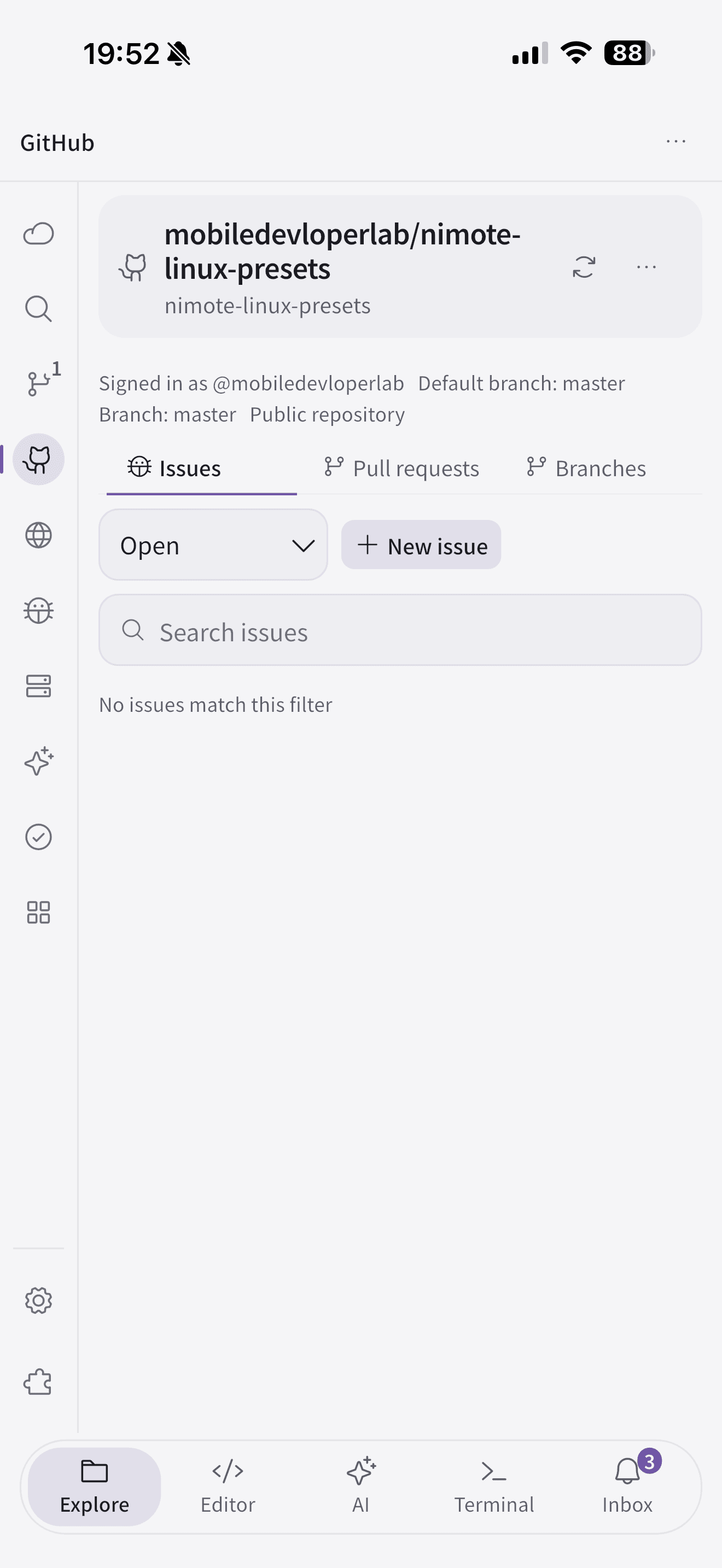
Once a repository is open, its GitHub page brings together the default branch, branches, issues, pull requests, reviews, and checks. This is the useful context for a mobile task: not just “what file should I edit?”, but “why does the change exist, what branch is expected, and what will validate it?”
You can filter issues and pull requests, create an issue, and start an Agent task with issue context. The context makes the handoff clearer, but it does not replace judgment. Read the acceptance criteria, inspect the affected code, and keep the task narrow enough to review on a small screen.
A compact, reviewable mobile loop
For a small documentation fix or focused bug repair, the loop is straightforward:
- Read the issue and repository context; create or select the branch.
- Clone or open the project in the chosen workspace.
- Make the focused change, then run the project’s own test, build, or lint command.
- Inspect the diff in Source Control, including files you did not intend to touch.
- Push only after the diff and checks are satisfactory, then open a pull request.
The same guardrails apply on a phone as on a desktop. GitHub checks tell you the state of collaboration and CI; they do not prove that a local change is correct. A shallow clone is helpful for large repositories only when the project does not need full history. Cloning opens the workspace, but it does not install dependencies or configure the project for you.
Where this fits on Android and iOS
On Android, GitHub can pair with an SSH workspace or a supported local workflow. Android Local Linux is an optional, separate environment; it is not available on iOS. On iPhone and iPad, an SSH workspace is the natural way to retain the host’s toolchain while using the same GitHub, editor, terminal, and review flow from the device.
Either way, GitHub is the entry and collaboration layer; the workspace is where you inspect, edit, run, and review. Keeping those roles clear makes the experience feel less like remote control and more like real development.
For setup details, including authentication, clone destinations, private repositories, issues, pull requests, and checks, read the GitHub workflow guide. The full release scope is in the NimoteCode 2.2.0 release notes.
Take a repository from GitHub to a reviewed change on Android or iOS.