
NimoteCode 기능
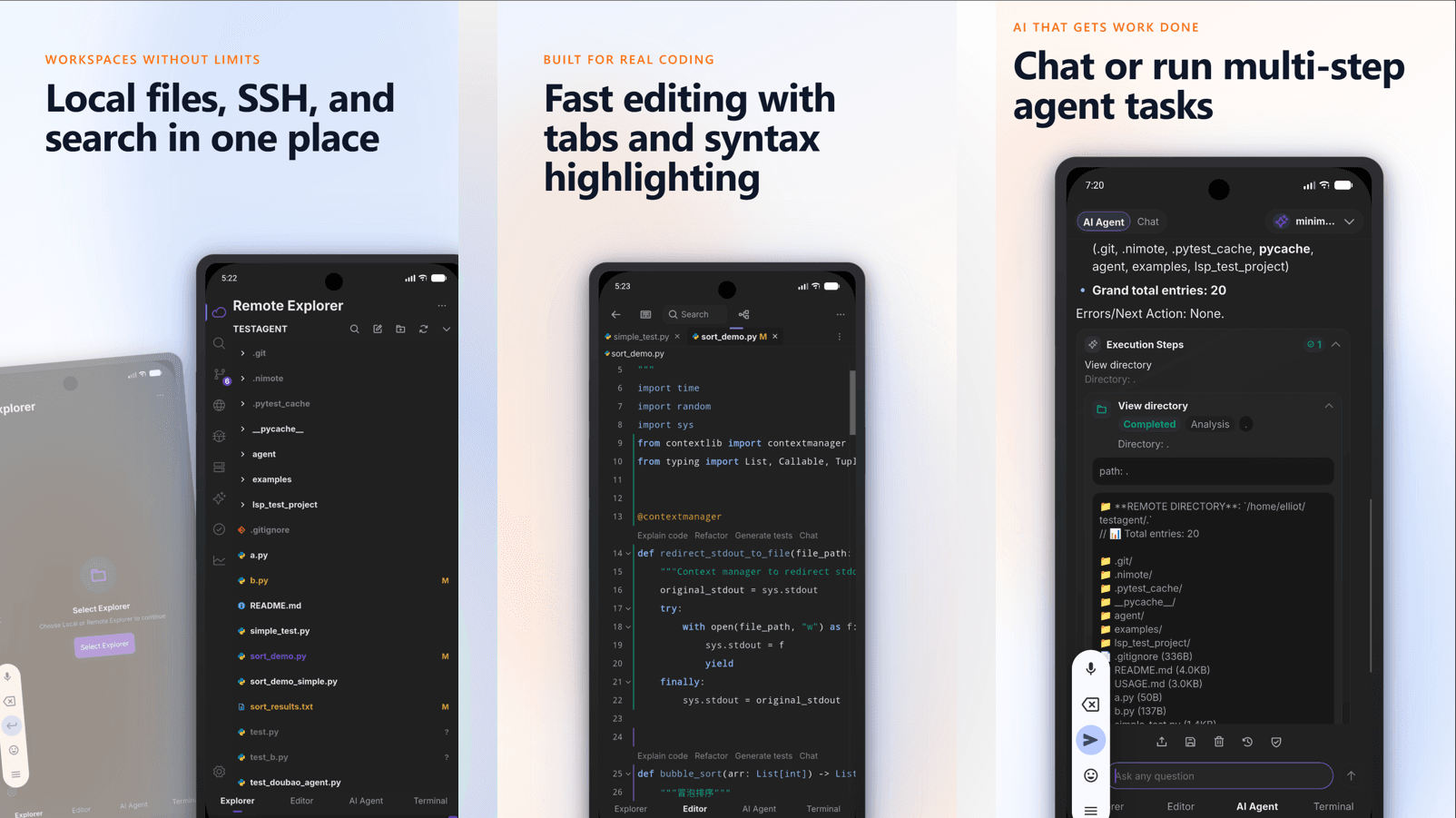
NimoteCode는 Explorer → Editor → Preview → Terminal → Git → AI와 같은 하나의 모바일 작업 공간에서 필수 개발 루프를 유지합니다. Android Local Linux를 통해 기기, SSH 호스트 또는 번들 Ubuntu의 프로젝트로 시작하세요. 이 페이지에는 모든 기능의 기능과 해당 기능이 무료 등급에 포함되어 있는지 또는 Pro가 필요한지 여부가 나열되어 있습니다.
Android 로컬 Linux는 Android 전용입니다. 지원되는 Android 8+ ARM64 및 x86_64 장치에서는 Bash, Git 및 SSH를 통해 루트 없는 Ubuntu 작업 공간을 제공합니다. iPhone과 iPad는 대신 로컬 및 SSH 작업 공간을 사용합니다.
모든 것을 무료로 받으세요
무료 등급은 미리보기가 아닌 전체 작업 공간입니다. 아래의 모든 기능은 Pro로 표시되지 않는 한 Pro 구독 없이도 작동합니다.
| Feature | What it gives you | Access |
|---|---|---|
| Local, Local Linux & SSH workspaces | Open local projects, saved SSH workspaces, or rootless bundled Ubuntu on supported Android devices. Switch the current directory when work moves, then return to recently used folders. Install, start, stop, reset, or delete Local Linux from the workspace flow. | Free |
| Code editor | Work in tabs or two independent split panes; save, use clipboard and undo/redo, follow cursor context, and inspect images or supported audio/video without leaving the app. | Free |
| Web & media preview | Open local or remote web projects in-app, preview the current HTML contents—including unsaved changes—with workspace CSS, JavaScript, and image assets, or open links from Terminal, AI replies, and tool output. | Free |
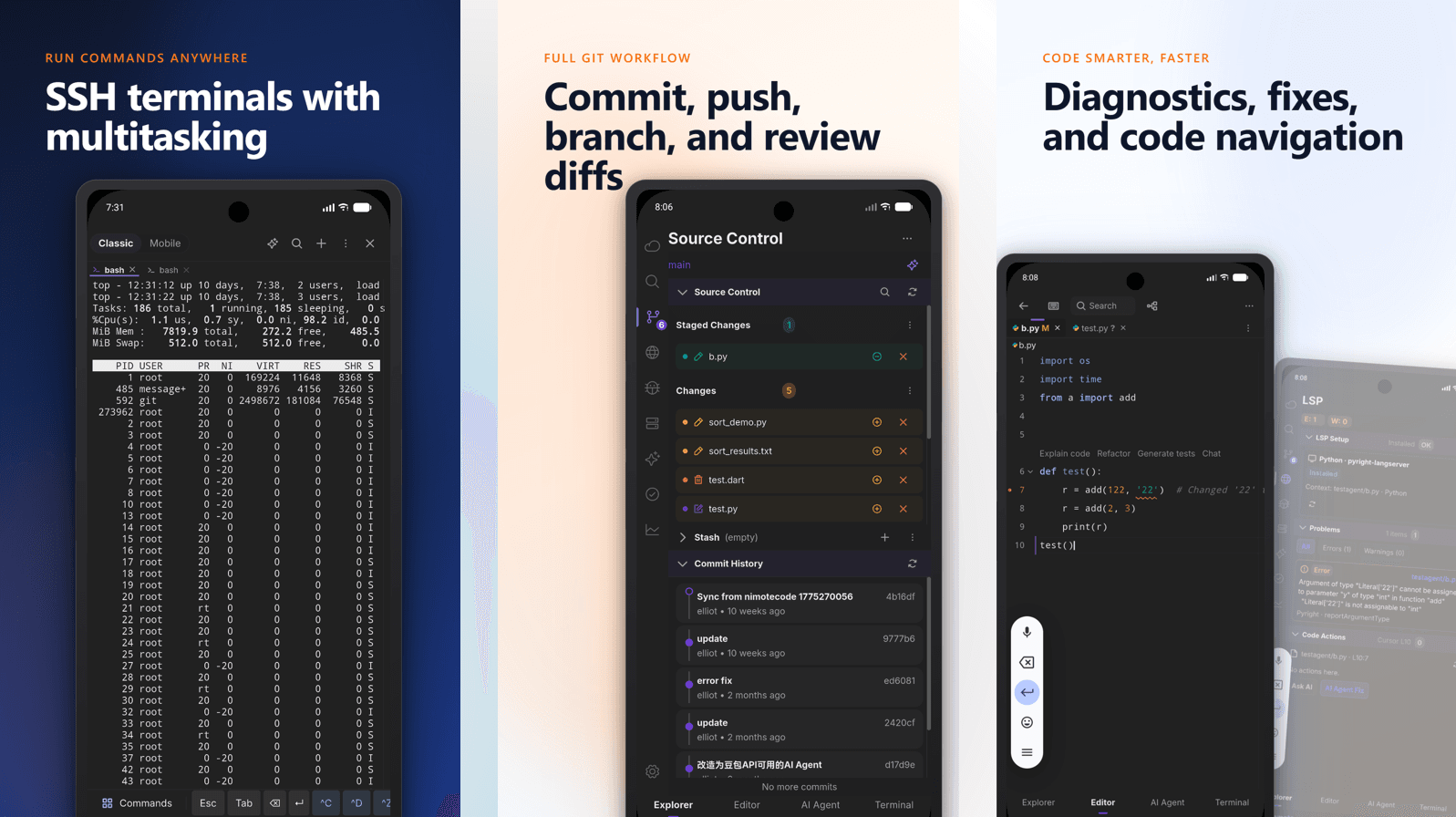
| Terminal & SSH environment | Run commands in the active workspace, search output, use shortcuts, and reconnect reliably. SSH workspaces load the account’s normal shell environment, so PATH, locale, SSH agent, and custom variables are available consistently to remote tools. | Free |
| Git review | Inspect repository status, diffs, branches, and history. In Android Local Linux, Git operates inside the Linux workspace so status and history match its files. | Free |
| AI Chat | Explain code, inspect error output, and plan or continue a task with current-file, workspace, recent-task, and Agent context. | Free |
| Tasks | Save repeated workspace commands, organize them in groups, and run them directly where the project lives. | Free |
프로 기능
버전 1.1.8에서는 Early Access Pro가 가용성이 확장됨에 따라 아래 워크플로를 엽니다. 귀하의 계정과 지역에 대해 표시되는 혜택과 가격을 알아보려면 Google Play 또는 App Store를 확인하세요.
| Feature | What it gives you | Access |
|---|---|---|
| AI Agent & external ACP agents | Run controlled multi-step workflows across files, Terminal, and Git tools. In an SSH workspace, choose a compatible ACP runtime—such as Claude Code or Codex CLI when configured—review permissions and progress in one timeline, and use / commands with touch or keyboard completion. | Early Access Pro |
| Git write | Commit, push and stash, plus branch/checkout/merge actions — with review before you act. | Early Access Pro |
| Remote search | Global content search across a remote workspace. | Early Access Pro |
| Multi-terminal | Keep parallel sessions for logs, tests, services and deployments. | Early Access Pro |
| LSP | Configured remote language-server diagnostics, code actions and navigation. | Early Access Pro |
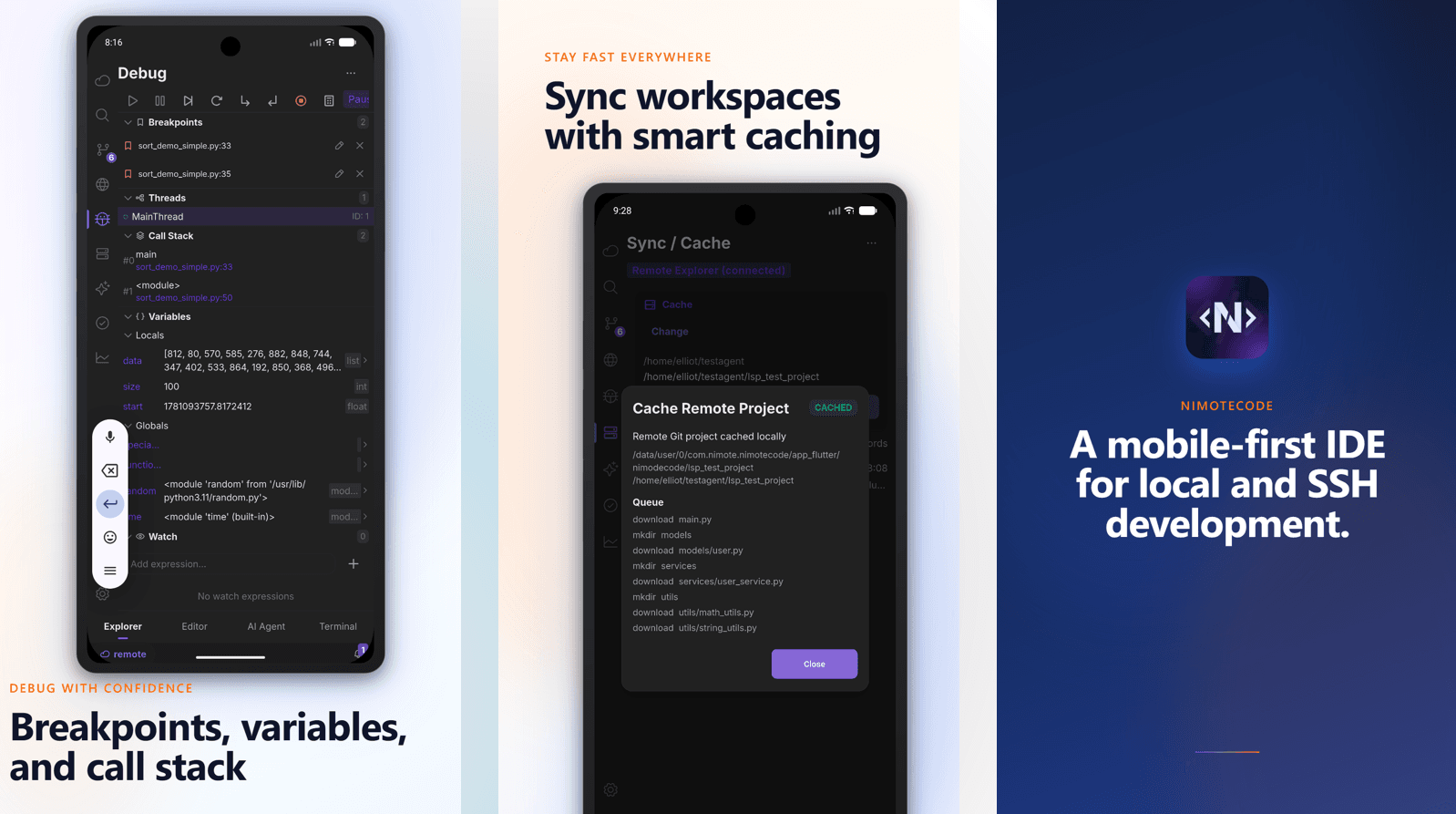
| Debugger | Breakpoints and runtime inspection through a configured debug adapter. | Early Access Pro |
| Sync / Cache | Move project content between local and remote workspaces with explicit direction and history. | Early Access Pro |
최근 작업공간에 추가됨
사용자 지정 가능한 작업 공간. Plugin Center에서 기능을 관리하고 패널, 양식, 워크플로, 아티팩트 보기, 로컬 또는 SSH 스크립트 작업용 사용자 지정 플러그인을 만들 수 있습니다. 설치나 업데이트 전에 권한 변경을 검토합니다.
지속적인 Agent 협업. 실행 중인 Agent에 후속 지시를 추가하고 대화형 질문에 답변할 수 있습니다. 새로 구성된 컨텍스트, 기록, 프롬프트 편집, 타임라인 보기는 긴 작업을 더 쉽게 추적하게 합니다.
더 직접적인 Git, 터미널, 연결. Git 헤더에서 분기를 검색, 만들고 체크아웃합니다. 해석이 필요하면 터미널 출력을 AI로 보내고, SSH 작업 공간은 SOCKS5 및 HTTP CONNECT 프록시를 지원합니다.
유연한 작업 공간 디렉터리. 로컬 및 SSH 프로젝트는 다른 디렉터리로 전환하고 빠른 복귀를 위해 최근 위치를 유지할 수 있습니다.
Android 로컬 Linux 안정성. 이제 Ubuntu 환경에는 더 명확한 파일 액세스 경계와 더 안정적인 설정, Git 및 작업 파일 처리 기능이 있습니다. 이러한 개선 사항은 Android에만 적용됩니다.
더 완벽한 미리보기 루프. 분할 편집, 라이브 HTML 스냅샷, 내장된 미디어 미리보기 및 공유 링크 열기를 통해 작업 공간을 떠나기 전에 결과를 검사하는 것이 실용적입니다.
귀하의 환경에 맞는 에이전트 워크플로. 외부 ACP 런타임, 슬래시 명령 완성, 공유 SSH 로그인 환경 처리 및 안전한 환경 진단을 통해 터미널, 작업, 디버그, 언어 서버, Git 및 에이전트가 정렬된 상태로 유지됩니다.
기능을 활용하는 실용적인 방법
SSH 작업 공간을 통해 연결하거나, 로컬 프로젝트를 열거나, 지원되는 기기에서 Android 로컬 Linux를 사용하세요.
편집기에서 파일을 찾아 편집하세요.
터미널에서 확인하세요. 필요할 때 출력이나 원격 콘텐츠를 검색하세요.
AI 채팅 및 에이전트에게 오류에 대한 설명을 요청하거나 변경 계획을 세우세요.
소스 제어를 사용하여 결과를 검토합니다. Pro는 제공 단계에 게이트 Git 쓰기 작업이 필요한 경우 필요합니다.
기능은 의도적으로 권한과 환경을 인식합니다. 예를 들어 LSP 및 디버그는 원격 호스트에 설정되는 언어 서버 또는 디버그 어댑터에 따라 달라지므로 민감한 시스템에서 사용하기 전에 AI 출력을 검토해야 합니다.
SSH 워크플로 살펴보기
이러한 기능이 SSH 세션에 어떻게 적합한지 평가하는 경우 Android SSH 클라이언트 워크플로를 참조하거나, 모바일 IDE 가이드를 읽거나, 전체 원격 개발 루프에 대한 SSH IDE 개요를 엽니다.
화면과 사용 절차는 화면 및 작업 안내를 참고하세요.