
Best Mobile IDEs: What Developers Should Look For
The best mobile IDE depends less on how much it resembles a desktop editor and more on whether it can complete your actual workflow. For a developer working away from a laptop, that usually means moving from a question or alert to a verified, reviewable change.
Start with the job, not the feature list
| Your mobile task | Capability that matters |
|---|---|
| Inspect a server | Reliable SSH terminal and host profiles |
| Understand a repository | Explorer, file search and editor tabs |
| Make a small remote change | Editor, terminal verification and Git diff |
| Work through an unfamiliar issue | AI assistance connected to current files and output |
| Respond while travelling | Reconnect-aware sessions and touch-friendly interaction |
The five capabilities worth prioritising
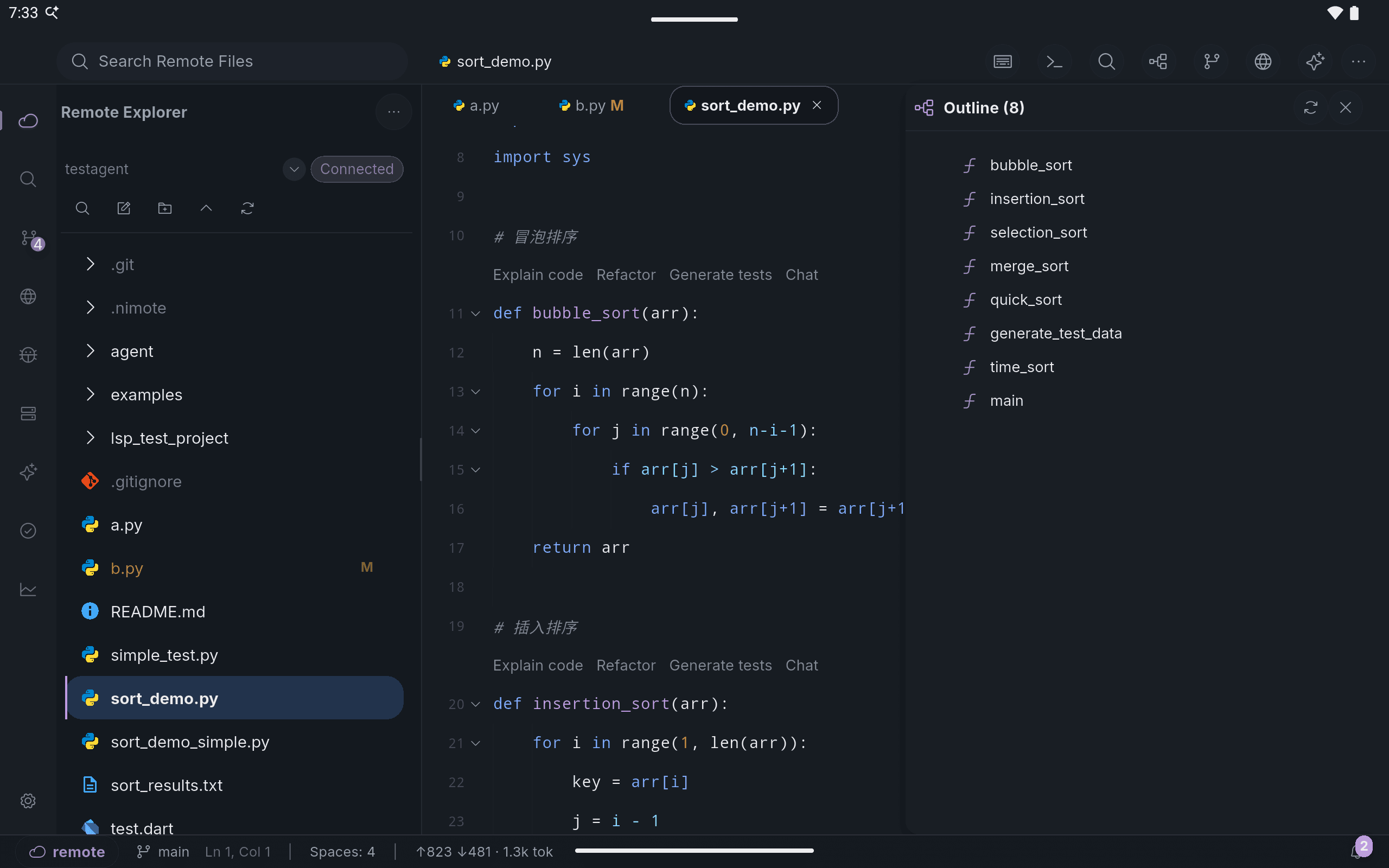
- A project workspace. A mobile IDE should let you browse the repository and keep related files open, not just edit a file you already know.
- A real terminal. Tests, logs, package commands and deployment checks are part of development—not an optional add-on.
- Git review. On a small screen, deliberate diff review matters even more before a change is committed or pushed.
- Useful AI context. AI can help explain, plan and automate, but it should remain attached to the workspace and operate with clear review controls.
- Platform ergonomics. The workflow must work with touch and become better with a tablet or hardware keyboard; a tiny desktop clone is not enough.
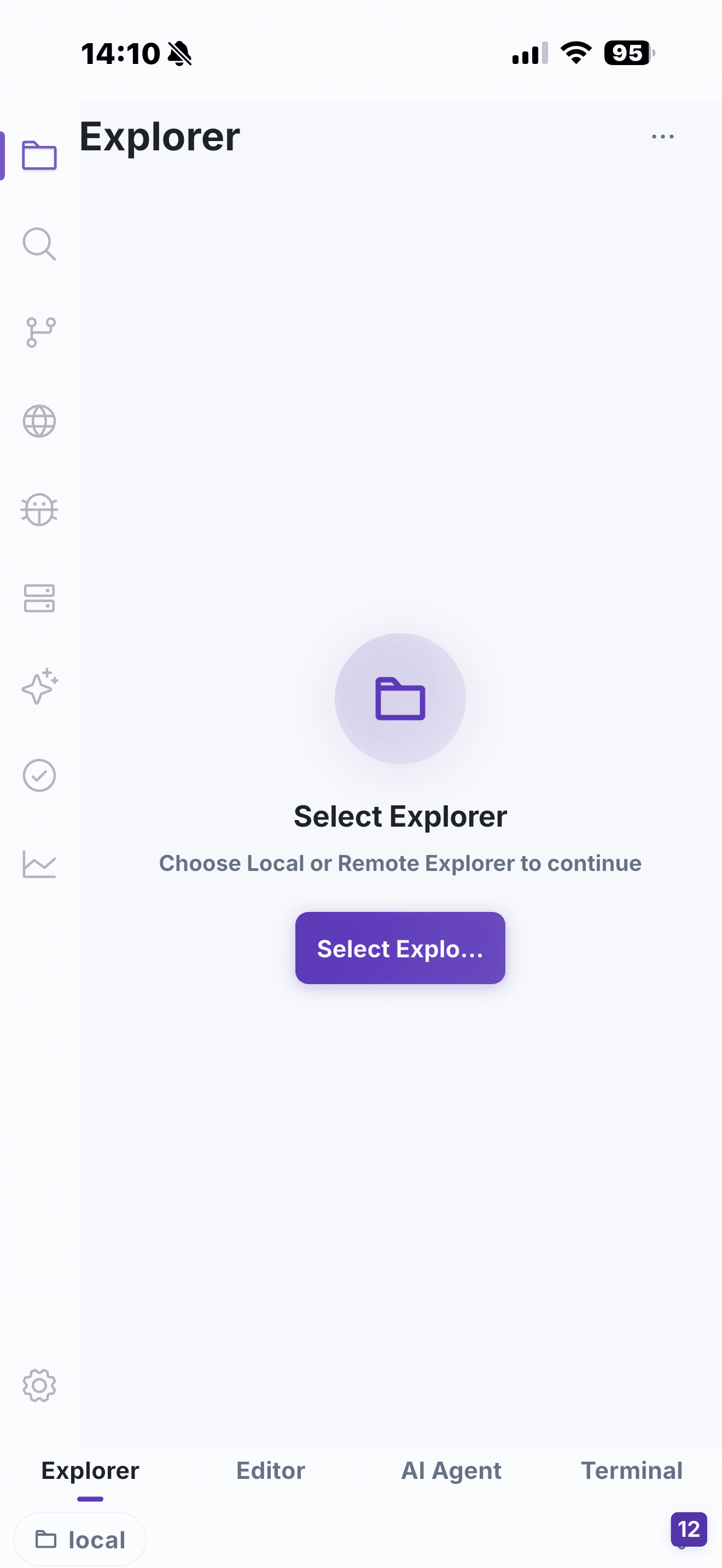
NimoteCode is built around these capabilities as a Mobile AI Development Workspace: Editor + Explorer + SSH + Terminal + Git + AI Agent. It is most useful for focused remote work, not as a promise to replace every desktop session.
A quick evaluation exercise
Before choosing a tool, try one real task: connect to a repository, find a file, make a harmless change, run a check and inspect the diff. Any gap in that sequence becomes a context switch during an actual incident or review. For remote projects, compare the result with the SSH IDE workflow.
See a mobile IDE complete the connect, edit, verify and review loop.
Related: Best SSH Clients · How to Code From iPad · Mobile AI Coding