
Remote Debugging
The Debug panel gives a mobile workspace structured runtime visibility: start or control a configured session, inspect a pause point, and connect the evidence back to the code and terminal. Debug is a Pro workflow.
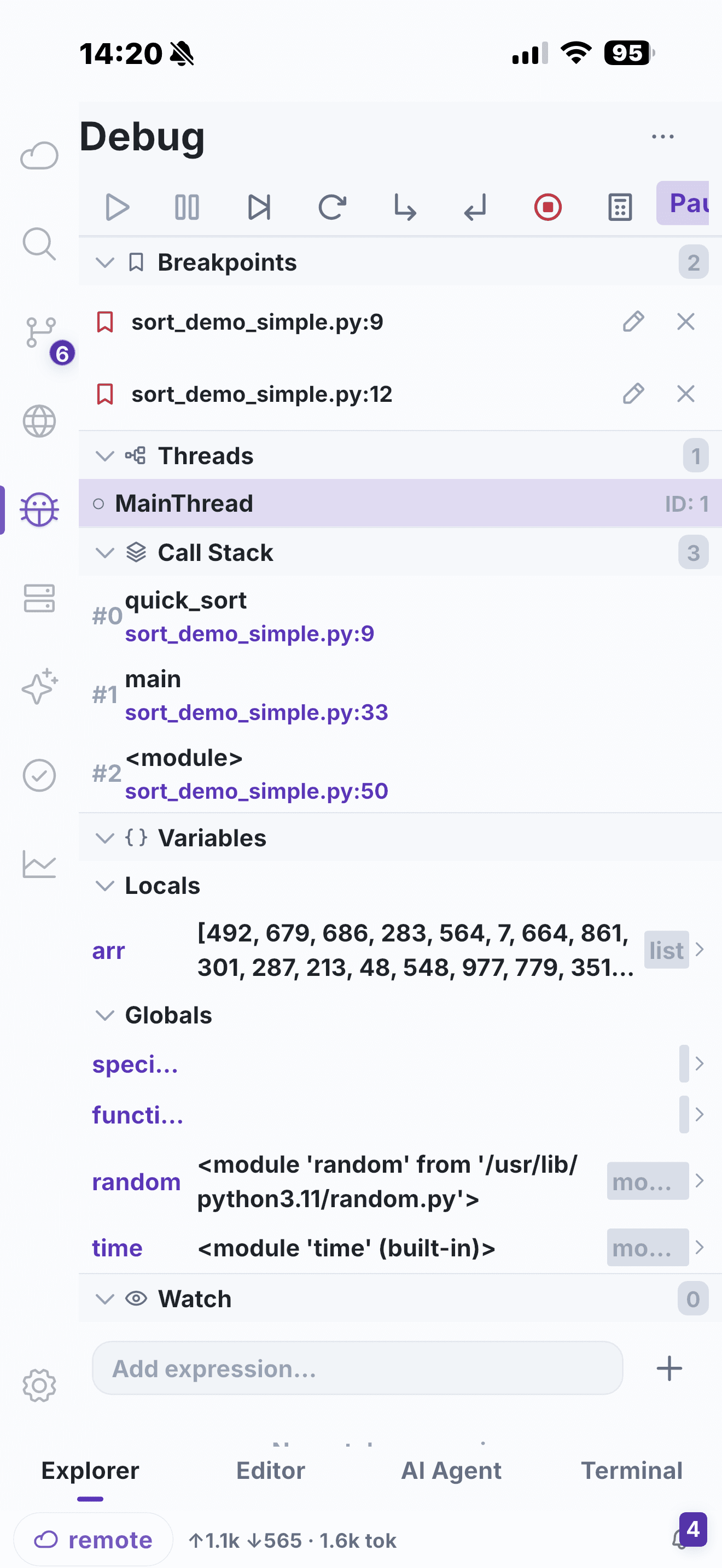
What a configured session can expose
- Start, pause, continue, step and stop controls.
- Breakpoints and execution position.
- Threads and call-stack navigation.
- Variables, scopes and watch expressions.
- Expression evaluation and debug output.
Before you begin
Debugging depends on the language, project launch configuration and a compatible debug adapter on the remote host. Confirm those prerequisites before relying on the mobile UI during an incident. For a faster first pass, use Terminal and LSP to narrow the question.